
You can spot a suspicious text lead by checking whether the message describes a real service need, answers relevant follow-up questions, and avoids requests for passwords, unusual payments, or unfamiliar links. Judge the request, not the sender’s spelling or area code. If the message is vague but harmless, ask a short qualifying question; if it asks you to expose account access or move money outside your normal process, stop and verify independently.
- How do you tell if a text lead is spam? Check service intent, conversation consistency, and requests for unsafe actions.
- VirtualPBX offers business texting; a shared inbox does not establish whether a sender is trustworthy.
- Verify vague inquiries, review suspicious requests, and block clear abuse without opening unfamiliar links.
How do you tell if a text lead is spam?
Separate an incomplete inquiry from a dangerous request. A customer who texts only a greeting has not given you enough information to qualify the lead, but that alone is not evidence of spam.
Use this 2026 screening checklist before you book work, share information, or dismiss the conversation:
- Check service intent. Does the sender describe something your business actually handles?
- Ask for relevant context. Request the service needed and a general service location, where applicable.
- Read the next response. Does it answer your question, or redirect you toward a link, payment, or unrelated request?
- Check existing records. Compare claims about appointments or prior conversations with your own records.
- Choose a safe next action. Continue intake, assign review, or stop engagement based on the request.
For legitimate inquiries, connect this screening step to your click-to-text leads to booked jobs workflow. Qualification should help you take the next safe action, not become a separate interrogation.
Why this matters
Your team has competing responsibilities: respond to potential customers and protect the business. Blocking every unfamiliar number rejects inquiries before you understand them. Treating every message as trustworthy exposes staff to unsafe requests.
A relevant answer supports qualification; it does not prove identity. Someone can describe a real service while still making a fraudulent payment request later. Keep evaluating the conversation when the requested action changes.
For your 2026 intake process, separate sales fit from security risk. An out-of-area customer is a poor-fit lead, not automatically a scammer. An apparent local customer asking for your login code presents a security problem, regardless of sales potential.
Which warning signs deserve the most attention?
Look for behavior that creates risk. These signals matter more than polished writing or a familiar-looking sender name.
- Account access requests. The sender asks for a password, login code, recovery code, or access to a business account.
- Unfamiliar links. The sender insists that you sign in, download something, or verify your business through a link they supplied.
- Unusual payment instructions. The inquiry turns into a request to refund an overpayment, pay another party, or purchase gift cards.
- Unrelated responses. The sender repeatedly ignores service questions and returns to the same unrelated instruction.
- Pressure to bypass checks. The sender demands action before you can confirm the job, customer, or payment through your normal process.
- Conflicting details. The claimed appointment, service address, or earlier conversation conflicts with your records and remains unexplained.
No single harmless oddity settles the question. Several concerning details justify review, while a direct request for credentials justifies stopping that action immediately.
Do not test a suspicious link by opening it. If the message claims to come from a company you use, access that company through your usual app or independently located contact details.
What should you do with each type of message?
Use 3 inbox statuses: Continue intake, Needs review, and Block or report. These are suggested workflow labels, not a fraud score or a claim about any platform’s controls.
| Action | Best for | Benefit | Limitation |
|---|---|---|---|
| Continue intake | Relevant inquiries without an unsafe request | Lets potential customers explain their needs | A useful answer does not establish identity |
| Needs review | Conflicting details or unusual requests | Keeps uncertain conversations visible for a person to assess | Adds handling time and needs a named owner |
| Block or report | Clear abuse, malicious requests, or repeated unwanted solicitation | Stops your team from continuing that conversation | Does not resolve any account exposure that already occurred |
Do not label silence as fraud. A sender who never answers your question is unqualified, not necessarily malicious. Close or archive that inquiry under your normal lead policy without inventing a security conclusion.
Likewise, distinguish unwanted sales pitches from phishing. Both interrupt your work, but a vendor offering a service and a sender requesting your password require different responses.
How can you verify a text lead safely?
Start with 2 qualifying questions: what service does the person need, and where do they need it? For a business without a service area, substitute another relevant detail, such as the appointment type.
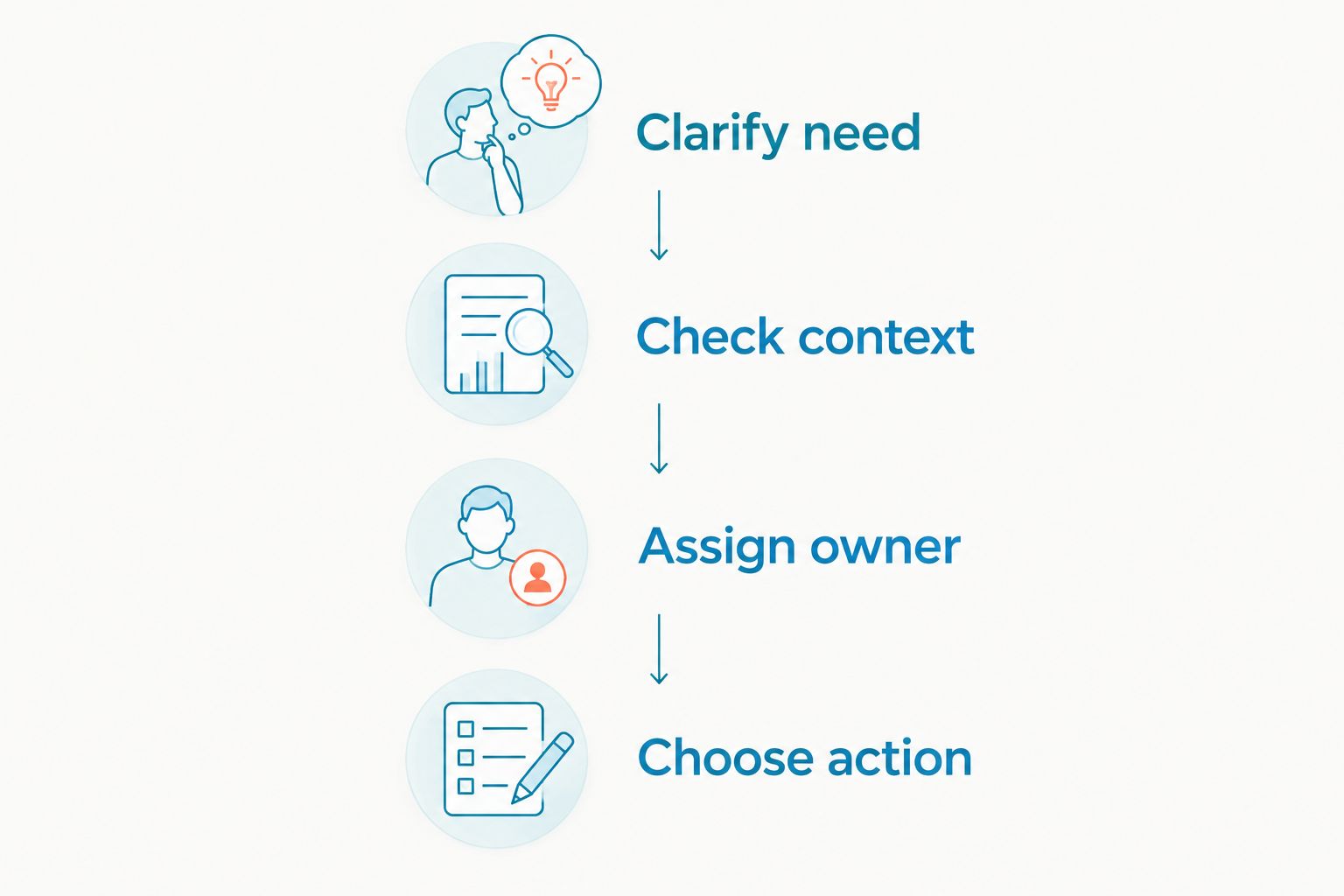
Clarify need
Ask for a short description of the request. Keep the question easy to answer and avoid demanding personal documents before you know whether your business can help.
A message about a leaking sink should lead to plumbing intake. A message about an insurance appointment should lead to appointment intake. Neither requires your staff to follow an unfamiliar login link.
Check context
Compare any claim of an existing relationship with your own records. Look for the appointment, earlier conversation, or job reference through your normal system rather than through a document supplied by the sender.
A matching record supports the story but does not authorize every subsequent request. Treat changes to payment details or account access as a separate verification decision.
Assign owner
Give 1 team member responsibility for an uncertain conversation. Other staff should see that the inquiry needs review rather than starting a fresh exchange and repeating the same questions.
Record the reason for concern in plain language. A note such as “requested our login code” is more useful than “seems suspicious.” It tells the next person what action to avoid.
Choose action
Continue ordinary qualification when the answers fit the service and contain no unsafe request. Pause when details conflict. Stop engagement with clear abuse and use the reporting controls available in your messaging service.
Keep these four labels in your 2026 staff instructions so everyone follows the same sequence.
Why text lead screening varies
A useful screening question depends on what the customer is trying to do. Keep the safety rules consistent, but adapt intake to the conversation.
- Entry point. A website inquiry and an unexpected text arrive with different context. Check the source information your system actually records.
- Service requested. A booking request needs different details from a request for a project estimate.
- Existing relationship. A claimed customer relationship gives you records to check; a new inquiry needs ordinary qualification.
- Requested action. Answering a service question carries different risks from changing payment instructions or sharing account access.
- Information sensitivity. Healthcare, insurance, and other sensitive conversations require care about what staff request through text.
Do not turn these factors into a made-up spam percentage. Your team needs an explanation and an action, not a precise-looking number without evidence.
Should you reply to a suspicious text lead?
Reply only when the message looks like an incomplete service inquiry and contains no unsafe request. Ask a relevant question without opening links or sharing confidential information.
Do not reply merely to investigate an obvious phishing attempt. Preserve the message if your business needs it for incident review, then use the applicable reporting and blocking process.
For uncertain cases, use a neutral service question. Ask the sender to describe the service and general location in the message itself. You do not need an attachment, account login, or payment transfer to begin ordinary qualification.
Is an unfamiliar area code proof of spam?
An unfamiliar area code is not proof of spam. Customers move, retain phone numbers, and contact businesses outside the area associated with their number.
Ask about the actual service location instead. If the location falls outside your coverage, mark the inquiry as outside your service area rather than fraudulent. That distinction keeps your lead records useful.
How should a shared inbox handle suspicious leads?
A shared inbox gives your team a common place to manage conversations. It does not turn a sender’s claim into a verified fact.
VirtualPBX business texting is best for small service teams that want customer texts and webchat managed together through VirtualText. VirtualText combines SMS, webchat, and a shared team inbox; those functions support conversation handling, not proof that a lead is genuine.
The practical benefit is shared context. The limitation is that your team still needs a screening process and a person responsible for uncertain requests. Do not assume automatic fraud detection from shared-inbox functionality.
When evaluating VirtualPBX, keep that distinction clear: communication tools support intake, while your verification rules govern risky actions. Your 2026 setup checklist should cover ownership, review notes, and escalation before staff handle live inquiries.
What if someone already clicked or shared information?
Stop treating the exchange as an ordinary lead. Tell the person responsible for business security what happened and which account, device, or information was involved.
If a password was exposed, change it through the legitimate service and review account access. If payment details or funds were involved, contact your financial institution through a known channel. Follow your organization’s incident process for sensitive customer information.
Keep the original message and relevant conversation history. Do not keep interacting with the sender to recover money or negotiate access. Reporting the conversation does not replace securing the affected account.
FAQ
How do you tell if a text lead is spam without clicking its link?
Check whether the message describes a relevant service need and answers ordinary qualifying questions. Do not open the link; independently verify any claim involving an account, payment, or existing appointment.
Is a text that only says hello spam?
A greeting alone is not enough to identify spam. If there is no unsafe request, ask what service the sender needs and assess the response.
Can a real-looking customer inquiry still be a scam?
Yes, a relevant service inquiry does not prove that later requests are safe. Independently verify unusual payment instructions and never share account passwords or login codes.
Should I block every lead that does not answer my questions?
No, an unanswered question makes the lead unqualified, not automatically fraudulent. Archive or close the inquiry under your lead policy unless the conversation contains abuse or another clear reason to block.
Does a local phone number mean a text lead is legitimate?
No, a local-looking number does not establish identity or service intent. Assess the request and verify consequential actions through your normal business process.
Does VirtualPBX business texting prove that a lead is genuine?
No, business texting and shared conversation handling do not prove a sender is genuine. Staff still need to assess the request and independently verify risky actions.
What should our team record when a text looks suspicious?
Record the specific behavior that caused concern, the action taken, and the person responsible for review. Preserve relevant conversation history without copying sensitive information into unnecessary locations.
One last thing
A real customer can send a bad message, and a scammer can send a polished one. Make the requested action your deciding factor, not the writing style.
For your next 2026 inbox review, replace vague labels such as “looks fake” with observable reasons. “Outside service area,” “no reply,” and “requested login code” describe different problems. Your team should not handle them the same way.