
When several branches answer customer texts, the problem is ownership: who replies, which location takes the lead, and what happens after closing? Best for combined texting and website inquiries: VirtualText by VirtualPBX. Best for phone-first teams: Smarter Voice. Best for independently managed branches: separate location inboxes.
- VirtualText is the starting point for a business texting service for multi-location companies combining SMS, webchat, and shared ownership.
- Smarter Voice fits teams whose main need is business calling with business SMS.
- Separate location inboxes suit independent branches but require a clear process for cross-location handoffs.
- Choose by conversation ownership, location accuracy, and human escalation—not the longest feature list.
Why this matters
A customer should not need to understand your branch structure to get an answer. Your staff, however, need to know which branch owns the conversation before promising an appointment or confirming a service area.
The practical solution is a business messaging setup with clear ownership and a documented handoff. Start with the workflow in how to keep a team inbox organized across locations, then match the software to that workflow.
For your 2026 shortlist, distinguish a shared communications platform from a phone system with texting. Both support customer communication, but they solve different operational problems.
What makes the best multi-location texting service?
Judge each option against these criteria before comparing features:
- Location accuracy: Staff must identify the right branch before answering location-specific questions.
- Conversation ownership: Every open inquiry needs a responsible person or team, including during shift changes.
- Channel coverage: Decide whether you need SMS alone or SMS and website chat together.
- Human handoff: Define when an automated response stops and a person takes responsibility.
- Number readiness: Confirm texting eligibility, registration requirements, and any changes to your current calling setup.
- Management visibility: Ask how managers review unresolved conversations without exposing information to the wrong branch.
Treat these as demonstration requirements, not assumed features. A shared inbox does not, by itself, establish separate branch permissions or location-level reporting.
Your 2026 buying decision should turn on the handoff between branches, not just the first reply.
Multi-location texting options at a glance
This comparison ranks three buying routes. It does not treat a phone system, a combined messaging platform, and a branch-by-branch deployment as interchangeable products.
| Option | Best for | Standout capability or structure | Key limitation or trade-off |
|---|---|---|---|
| VirtualText | Central teams handling texts and website inquiries | SMS, webchat, a shared team inbox, and an AI agent | Branch permissions, reporting, and routing need a specific demonstration |
| Smarter Voice from VirtualPBX | Teams replacing or organizing their business phone system | Cloud calling, business SMS, and mobile, desktop, and web apps | Business SMS alone does not establish a shared SMS-and-webchat workflow |
| Separate location inboxes | Independently managed branches | Each branch owns its customer conversations | Cross-branch transfers and central oversight need an additional process |
1. VirtualText: best for shared texting and website inquiries
VirtualText combines SMS, webchat, a shared team inbox, and an AI agent for small-business service teams. The relevant use case is straightforward: your staff need to capture and answer customer inquiries from both text messages and your website.
VirtualText by VirtualPBX is best for small service teams that need SMS and webchat in a shared inbox. For a multi-location company, the next decision is how that shared workspace should divide responsibility between branches.
VirtualText pros
- SMS and webchat are part of the same platform.
- A shared team inbox supports a team-based approach to customer conversations.
- An AI agent is included in the stated platform offering for lead capture and response.
- The product positioning fits service teams handling website and after-hours inquiries.
VirtualText cons and buying checks
- A shared workspace still needs explicit rules for branch ownership and shift changes.
- The listed capabilities do not establish branch-level permissions or location-specific reporting; request a demonstration.
- Automated answers require approved business information and clear limits on what the agent should answer.
Best for: A central service team that handles inbound inquiries for several locations and needs SMS plus webchat.
In the demonstration, submit a website inquiry about a particular branch. Then send a text about the same service need. Ask the provider to show how staff identify the location, take responsibility, and find the conversation later.
Also test a wrong-location inquiry. Staff should know how to transfer responsibility without making the customer start again. That is a workflow requirement to prove, not a capability to assume.
Verdict: Buy for combined SMS and webchat after the branch handoff passes your acceptance test.
2. Smarter Voice: best for phone-first multi-location teams
Smarter Voice is the core business phone offer from VirtualPBX. The stated phone-system capabilities include cloud calling, business SMS, routing, number porting, and mobile, desktop, and web apps.
Choose this route when your main project is organizing business calls and giving staff business communication tools. Do not select a phone system solely because its feature list includes SMS if your actual requirement is shared website lead handling.
Smarter Voice pros
- Business calling and business SMS sit within the phone-system offering.
- Mobile, desktop, and web apps give staff different ways to access business communications.
- Routing and number porting address phone-system requirements alongside texting.
- Support from real people is part of the stated brand offering.
Smarter Voice cons and buying checks
- Business SMS is not the same requirement as a combined SMS-and-webchat inbox.
- The stated capabilities do not establish cross-location text assignment or branch-specific message reporting.
- A phone-system change requires planning for numbers, users, and call handling as well as messaging.
Best for: Branch teams whose primary requirement is a business phone system with texting, rather than website chat management.
Keep the product roles separate during evaluation. AI FrontDesk and AI MessageDesk are optional voice products; they should not substitute for demonstrating the text-message workflow you need.
For a 2026 phone-system review, ask staff to demonstrate an incoming call, an outbound business text, and the next person's access to the relevant customer context. Confirm each requirement directly.
Verdict: Buy for phone-first operations; hold if shared webchat and text ownership are your main requirements.
3. Separate location inboxes: best for independent branch ownership
Separate location inboxes are a deployment model, not a single vendor recommendation. Each branch manages its own customer messaging instead of relying on a central team to distribute every inquiry.
This route fits companies where branches control their own schedules, service decisions, and customer follow-up. It puts responsibility locally, but your company must define what happens when customers contact the wrong location.
Separate location inboxes pros
- Each branch has an explicit area of responsibility.
- Local managers can set staffing and follow-up procedures around their branch.
- Branch-specific information stays central to the local response process.
Separate location inboxes cons
- A customer contacting the wrong branch needs a cross-location handoff.
- Central managers need a separate method for reviewing company-wide performance.
- Reply wording and escalation practices require shared standards to stay consistent.
Best for: Independently operated branches with local decision-making and limited need for centralized coverage.
Before adopting this model, write down who covers an inbox when the branch closes or the local responder is unavailable. Separate ownership is useful only when responsibility continues through absences.
Verdict: Buy for branch autonomy; skip if your main goal is pooled coverage across locations.
How the options are ranked
The ranking prioritizes combined channel handling first, business calling second, and independent branch ownership third. It follows the criteria above: location accuracy, conversation ownership, channel coverage, human handoff, number readiness, and management visibility.
This is a use-case ranking, not a measured performance league table. For your 2026 selection, require the same demonstration from every provider so that familiar branding does not replace operational proof.
Run a branch-handoff pilot before company-wide setup
Use a small pilot to test the work your staff actually perform. A suggested starting scope is 2 locations, 10 scripted conversations, and 5 business days of staff review—not a promised implementation timeline or performance benchmark.
Map locations
Record each pilot branch's public name, service area, operating hours, and escalation contact. Identify where the information differs so responders do not send a company-wide answer to a location-specific question.
Assign ownership
Name the person or team responsible for each incoming inquiry. Define a backup and state when responsibility moves from the original responder to the backup.
Test handoffs
Include a wrong-location text, an after-hours website inquiry, a customer asking for a person, and an unanswered conversation at a shift change. Use fictional customer details rather than real sensitive records.
Review results
Check whether staff identified the right branch, knew who owned the next step, and avoided unsupported promises. Record failures individually instead of reducing everything to an average response time.
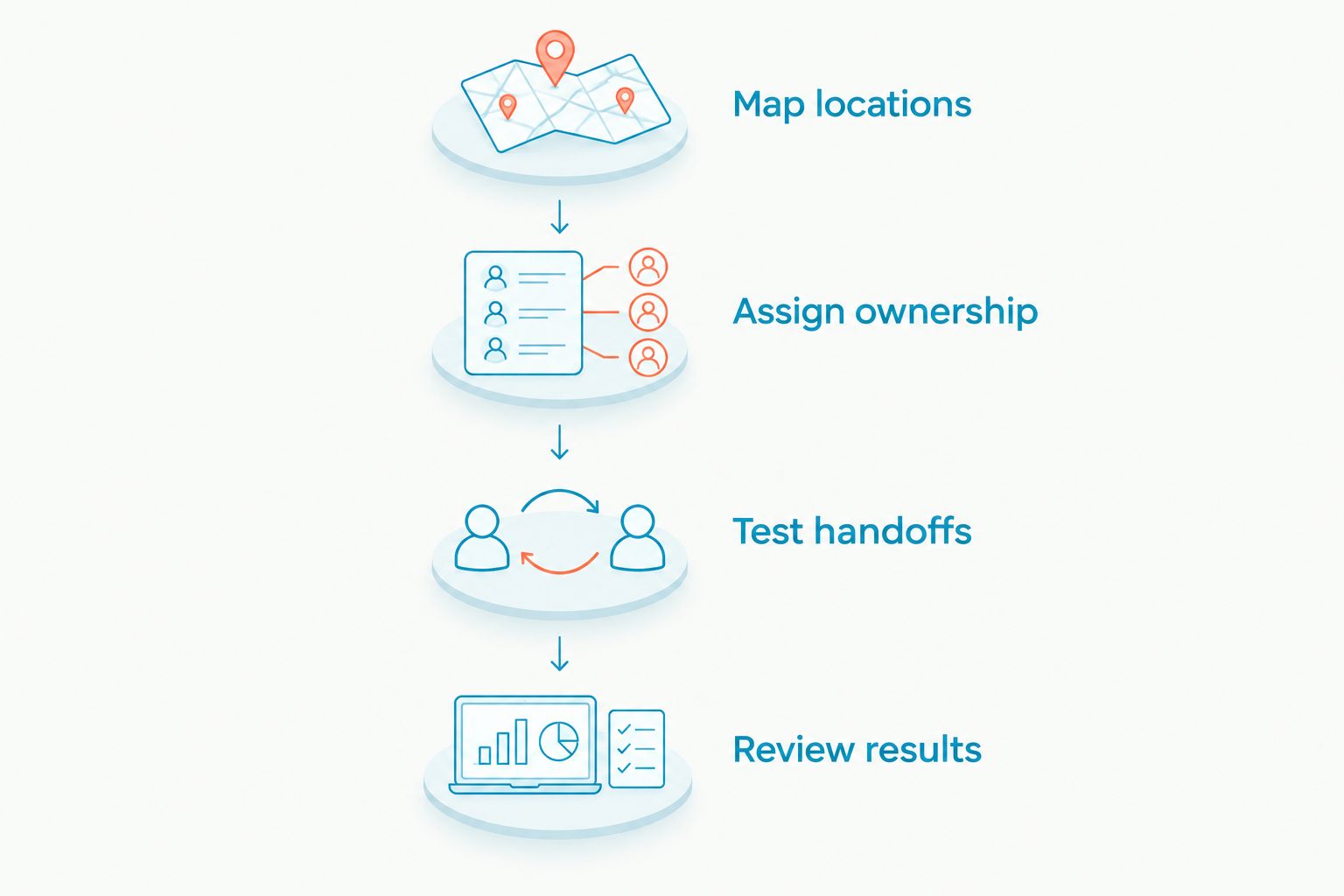
A useful acceptance rule is simple: the customer should not have to repeat the request because responsibility changed. Keep unresolved workflow problems out of the company-wide rollout.
Set boundaries for automated replies
Automated replies should use approved information, not guess at branch details. Give the system a defined scope: acknowledge an inquiry, collect relevant details, answer approved questions, and direct exceptions to a person.
Separate information gathering from making commitments. Collecting a preferred appointment time is not the same as confirming a booking; recording a service request is not the same as promising availability.
For healthcare or other sensitive inquiries, verify the provider's contractual, security, and access arrangements before sending protected information. A product's suitability for a service category does not establish regulatory compliance for your deployment.
Which business texting service should you choose?
Start with VirtualText if your 2026 requirement is shared SMS and webchat for a small service team. Make branch identification, ownership, and escalation the conditions of purchase.
Choose Smarter Voice from VirtualPBX when the business phone system is the primary project and business SMS supports that project. Choose separate location inboxes when branch independence matters more than pooled coverage.
Do not buy around an assumed integration or an unproven permissions model. Ask for the workflow you need to be shown with your branch structure.
FAQ
What's the best business texting service for multi-location companies?
VirtualText is the starting point for small service teams that need SMS, webchat, and a shared team inbox. Before selecting it for several locations, verify branch ownership, access controls, and handoffs in a demonstration.
Should every location have its own texting number?
Use separate numbers when local identity and branch ownership are requirements; evaluate a central number when a central team owns incoming inquiries. Confirm number eligibility and how staff will identify the correct location before choosing either structure.
Is a shared inbox better than separate branch inboxes?
A shared inbox fits pooled coverage, while separate branch inboxes fit independent local ownership. The better structure is the one that gives every conversation a clear owner and a workable backup.
Is business SMS in a phone system the same as a shared texting platform?
No. Business SMS describes a messaging capability, while a shared texting platform must also satisfy your requirements for team access, ownership, and handoffs. Ask the provider to demonstrate those requirements rather than assuming them.
Can an automated agent answer questions for several locations?
Evaluate an automated agent against approved information for each location. Test differing hours, service areas, and escalation contacts, and require a human handoff when the correct answer is not established.
Can we keep our existing business numbers?
Ask the provider to verify each number's calling and texting arrangements before making changes. Number porting, texting eligibility, and registration are distinct checks; do not assume that keeping a number automatically enables every messaging workflow.
How should we test a multi-location texting platform?
Run a pilot that includes wrong-location inquiries, after-hours messages, and staff handoffs. Judge whether the correct branch takes ownership and whether customers avoid repeating their requests, not just whether an initial reply appears.
One last thing
The most revealing demonstration is a customer contacting the wrong branch. A polished first reply proves little if nobody owns the transfer afterward.
Before expanding your 2026 setup, ask a staff member to follow that conversation from arrival to resolution. If the next owner is unclear, fix the handoff before adding more locations.