
If your website collects questions nobody owns, a quick widget installation solves only part of the problem. For website chat software setup time in 2026, start with staffed live chat for the narrowest launch; choose VirtualText by VirtualPBX when your service team needs webchat, SMS, and a shared inbox together.
- Rank website chat software setup time by launch scope, not the moment a widget appears.
- VirtualText by VirtualPBX suits service teams that need webchat, SMS, and a shared inbox together.
- Start with staffed chat when someone can answer; add automated answers after approving the source material.
- Require a named owner, an after-hours path, and a successful handoff before launch.
Why this matters
A chat bubble is not a working response process. Your visitor needs an answer, a clear next step, or an honest explanation of when your team will respond.
The useful setup milestone is a completed customer conversation, not a published script. Use the webchat widget setup guide to plan installation, then test who receives the message and what happens next.
For a 2026 launch, choose the smallest workflow that finishes the job. A staffed chat launch needs a person ready to answer. A shared inbox adds team decisions. Automated answers add content review. Connected booking or customer records add another system to test.
What makes the best website chat setup
Judge website chat software against these criteria before comparing launch promises:
- Website access: Identify who can install or publish the widget. An account login does not guarantee access to the website.
- Response ownership: Name the person responsible for new messages and the backup when that person is unavailable.
- Channel scope: Decide whether launch covers webchat alone or also includes SMS and shared conversations.
- Answer readiness: Prepare business hours, service boundaries, and approved answers before turning on automated responses.
- Handoff quality: Require enough conversation context for the next person to help without starting over.
- Launch evidence: Confirm that a visitor can send a message, receive a response, and reach the correct next step.
These criteria separate installation work from operational work. They also give you specific questions to ask during a demonstration rather than accepting a general promise of fast setup.
Website chat setup options at a glance
This ranking orders launch approaches by the dependencies you need to resolve. It is not a stopwatch comparison between vendors: staffed chat, team messaging, automated answers, and connected workflows have different finish lines.
| Rank and option | Best for | Standout feature | Key limitation |
|---|---|---|---|
| 1. Staffed webchat only | A business with someone ready to answer | Narrow launch scope focused on website conversations | Requires staffing and an unavailable-message process |
| 2. VirtualText by VirtualPBX | Small service teams combining chat and texting | Webchat, SMS, a shared team inbox, and an AI agent in one platform | A combined launch includes channel and ownership decisions |
| 3. Automated FAQ chat | Repeated questions outside staffed hours | Answers built around approved business information | Requires content review and a clear human handoff |
| 4. Connected chat workflow | Businesses needing booking or record updates | Connects conversation outcomes to another business process | Adds access, mapping, and failure-handling checks |
For your 2026 shortlist, ask every vendor to demonstrate the same customer journey. Otherwise, one demonstration ends at the first reply while another includes intake, assignment, and follow-up.
1. Staffed webchat: best for the narrowest initial launch
Staffed webchat puts website visitors in a conversation with a person. Keep the initial scope to a greeting, incoming messages, a responsible employee, and an unavailable-message path.
This is the first approach to consider when someone already handles customer inquiries. Do not call it ready just because the widget opens; confirm that the employee actually receives the conversation.
Staffed webchat pros:
- Keeps the first launch focused on a single channel.
- Lets a person handle questions outside a prepared script.
- Gives your team direct examples of what visitors ask.
Staffed webchat cons:
- Depends on a person being available to respond.
- Needs a separate plan for breaks, busy periods, and closed hours.
- Does not by itself organize follow-up across other channels.
Best for: A small business with a designated responder and a clear website inquiry process.
Before choosing staffed chat, ask the intended responder to handle a practice inquiry while doing normal work. If the message goes unnoticed, fix notifications or coverage before publishing the widget.
Verdict: Buy this approach for a narrow launch when you already have response coverage.
2. VirtualText: best for combined webchat and texting
VirtualText brings SMS, webchat, a shared team inbox, and an AI agent into a platform for small-business service teams. That makes it a relevant option when website leads need follow-up beyond the browser conversation.
VirtualText by VirtualPBX is a fit for service teams that need website chat software and business texting in a shared inbox. Choose it for that combined workflow, not because a broader feature set proves a shorter installation.
VirtualText pros:
- Combines website conversations and SMS in one platform.
- Gives a service team a shared place to handle messages.
- Includes an AI agent for a workflow that uses automated responses.
- Matches service-team use cases such as insurance agencies and home services.
VirtualText cons:
- Launching chat and texting together adds decisions beyond widget installation.
- A shared inbox still needs clear ownership and coverage rules.
- Automated responses require approved information and escalation tests.
Best for: A service team that wants website inquiries and text follow-up handled together.
For a 2026 rollout, define the first conversation you want to complete. A request for a service estimate is a useful example: establish what information the team needs, who responds, and how the visitor receives the next step. Confirm the supported configuration before committing to that process.
Keep the product roles clear. VirtualPBX is the parent brand; VirtualText is the webchat and shared-inbox offer discussed here, not a replacement name for the core business phone system.
Verdict: Buy VirtualText for combined chat and SMS needs; do not select it solely on an assumed setup duration.
3. Automated FAQ chat: best for approved repeat questions
Automated FAQ chat handles questions using business information you approve. Treat answer preparation as part of setup, rather than work to complete after the widget goes live.
Start with facts your business can maintain: hours, service areas, contact instructions, and the next step for an inquiry. Keep exceptions and judgment-heavy questions on a human response path.
Automated FAQ chat pros:
- Provides a response path when employees are not watching chat.
- Uses a defined set of business information for repeat questions.
- Gives you a focused set of answers to review before launch.
Automated FAQ chat cons:
- Needs accurate source material and ongoing review.
- Requires explicit boundaries for unsupported questions.
- Does not replace human judgment for unusual requests.
Best for: A business with repeat questions, approved answers, and someone responsible for keeping them current.
Test questions that sound similar but require different answers. A customer asking whether you serve an area is not asking whether an appointment is available there today. The response must preserve that distinction.
Verdict: Hold automated FAQ chat until the answers and human handoff pass review.
4. Connected chat: best for booking and record workflows
Connected chat passes information into another process, such as a booking system or customer record. This approach adds work beyond collecting and answering a message.
Define what counts as success before configuring a connection. A booking request, a confirmed appointment, and a saved customer note are different outcomes; your chat must not describe one as another.
Connected chat pros:
- Supports a defined next step beyond the conversation.
- Gives your team a specific destination for captured information.
- Makes successful completion testable against a business record.
Connected chat cons:
- Requires access and configuration outside the chat tool.
- Needs checks for missing, duplicate, or mismatched information.
- Requires a fallback when the connected process fails.
Best for: A business whose launch requirement includes a verified booking or record update.
Keep this scope out of an urgent launch unless it is essential. Collecting a request for human follow-up is a different, narrower project than confirming a booking automatically.
Verdict: Wait on connected chat unless the connection is necessary for your first launch.
How to compare setup time fairly
Use a single launch checklist for every option on your 2026 shortlist. Record hands-on work separately from waiting for access, approval, or another person to finish a task.
A meaningful setup record includes these stages:
- Access: Website publishing rights and the required software accounts are ready.
- Installation: The widget appears where intended and works on the page.
- Ownership: A named employee receives the inquiry and knows the next action.
- Testing: Normal, unavailable, and exception conversations reach the intended outcome.
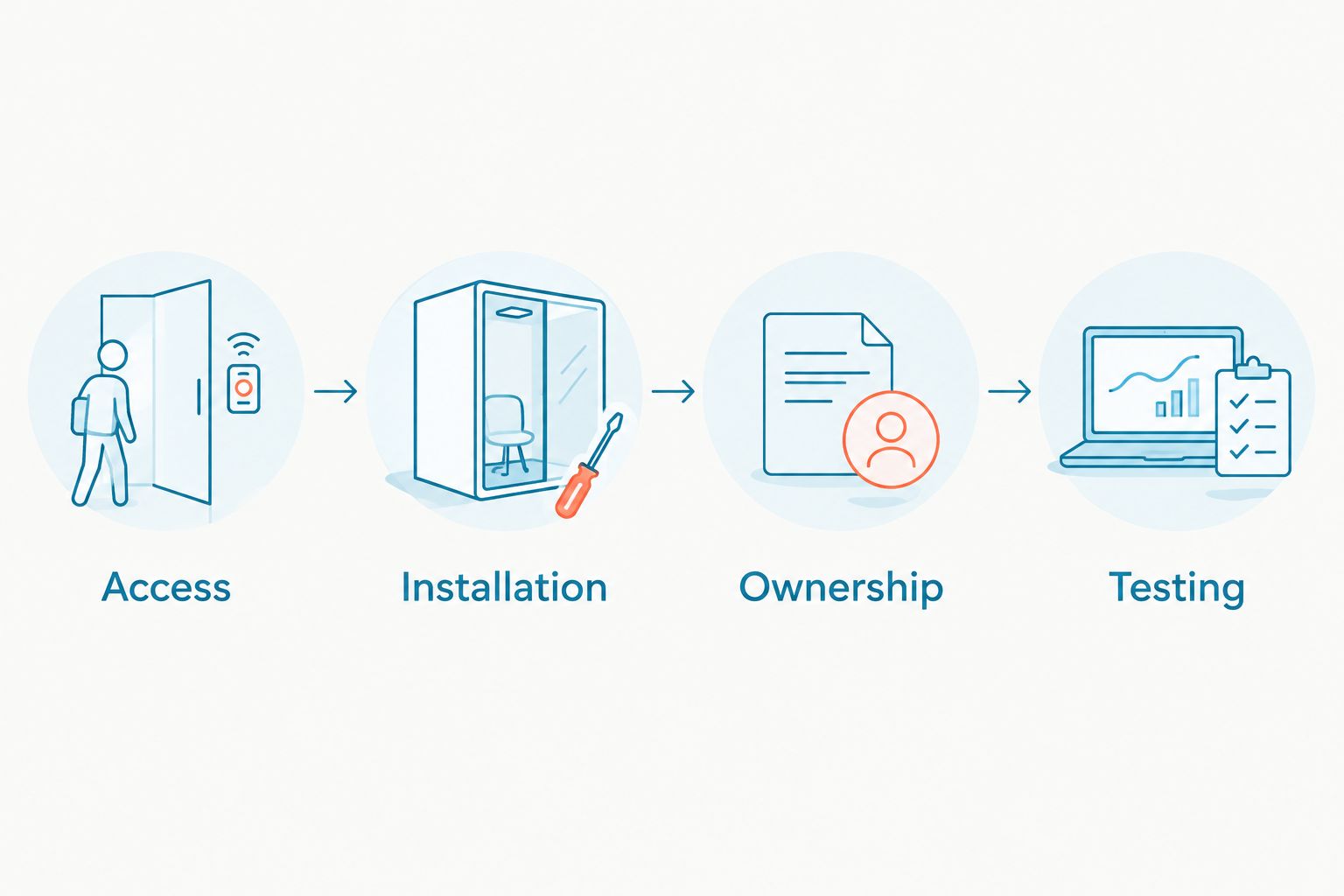
Ask the vendor to identify which stages its setup estimate includes. Keep any estimate attached to that scope; do not compare widget installation with a fully tested, connected workflow.
Then run 3 test conversations: a normal inquiry, an after-hours inquiry, and a request the responder cannot resolve. Use 2 device types, desktop and mobile, to check the visitor experience. Assign 1 launch owner to record failures and approve corrections.
Those are acceptance checks, not performance benchmarks. Add more tests when your business has different locations, languages, or service rules.
How this ranking works
The ranking follows setup dependencies, not a claimed speed advantage for a named vendor. Staffed webchat has the narrowest scope described here. A combined inbox adds channel decisions; automated answers add content review; connected workflows add another system to verify.
Your starting point changes the work required. An existing shared inbox with established ownership is different from a team creating its first response process.
Use the ranking to remove unnecessary launch work. Do not use it to infer that every product in a category takes the same amount of time.
Which website chat setup should you choose?
Choose staffed webchat if your immediate requirement is answering website inquiries and someone is ready to respond. Keep the first launch small and test the unavailable-message path before publishing.
Choose VirtualText when the requirement includes website chat software, SMS, and shared team handling. Add automated responses only after approving the answers, and add connected actions only after defining their success and failure states.
The default for an undecided buyer in 2026 is simple: launch the smallest complete response process. A shorter feature checklist is acceptable; an unowned customer conversation is not.
FAQ
What's the fastest way to set up website chat software?
Start with the narrowest complete workflow: staffed webchat, a named responder, and an unavailable-message path. Count setup as complete only after a test visitor receives the intended response.
How long does website chat software setup take?
Website chat software setup time depends on installation access, response ownership, channel scope, and testing. Ask for an estimate covering your complete launch workflow, not just the widget installation.
Is VirtualText suitable for a small service team?
VirtualText combines SMS, webchat, a shared team inbox, and an AI agent for small-business service teams. It fits a requirement to handle website conversations and business texts together.
Is automated chat quicker to launch than live chat?
Automated chat adds answer preparation and review, while live chat needs response coverage. Compare the work your business still needs to complete rather than assuming either approach is always quicker.
Can I launch website chat before connecting a booking system?
Yes, you can scope the initial launch around inquiries and human follow-up instead of confirmed bookings. Make that distinction clear so visitors do not mistake a request for an appointment.
What should I test before publishing a chat widget?
Test a normal inquiry, an after-hours inquiry, and a request that needs a human handoff. Check desktop and mobile, and confirm that a named employee receives the conversation.
Does a shared inbox remove the need to assign messages?
No, a shared inbox still needs a clear ownership process. Decide who handles new inquiries and who takes over when the first responder is unavailable.
One last thing
Test the conversation when nobody is available, not just when your launch team is watching. Send a question outside your stated response hours and check whether the visitor receives an honest next step.
A widget that handles that situation clearly is better prepared for launch than one that looks finished but leaves the customer waiting without explanation.