
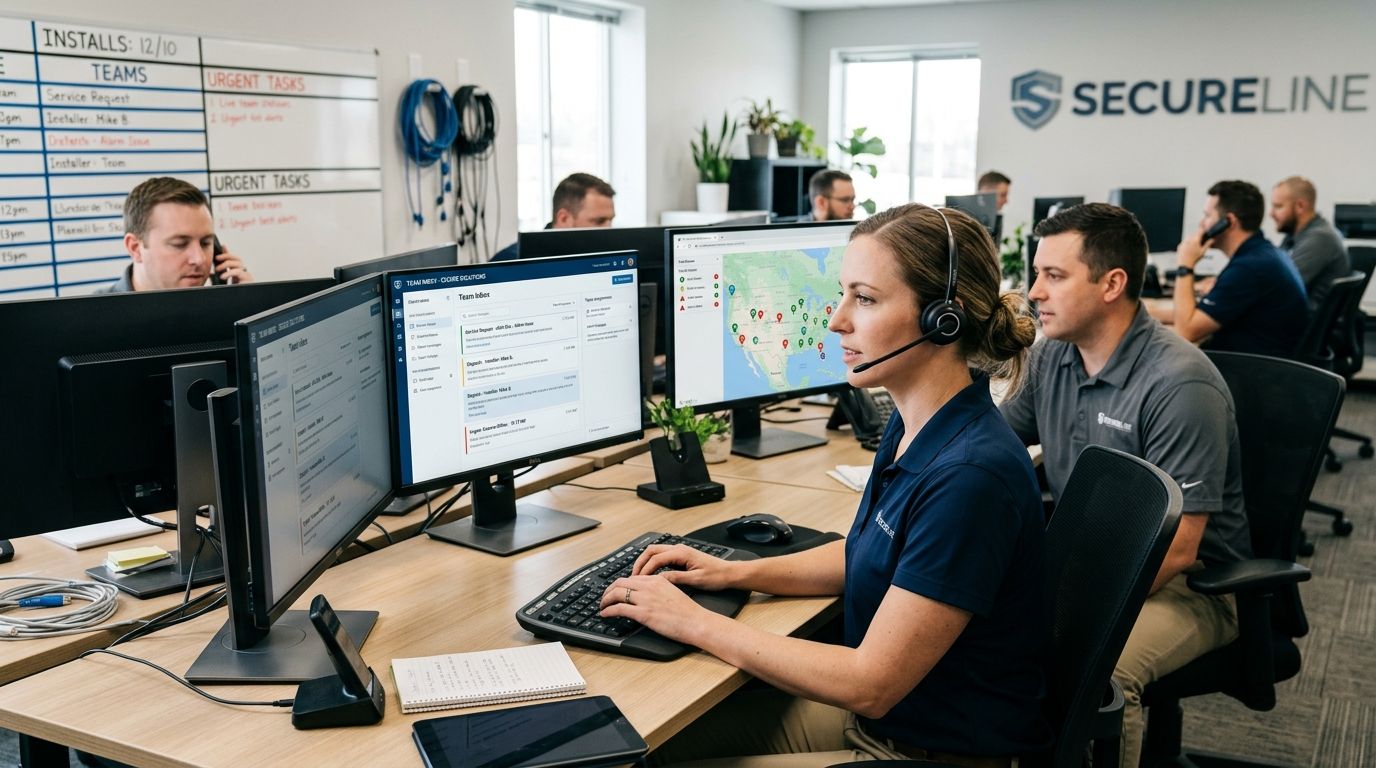
Team inbox software for security and alarm installers is a shared texting and webchat system that puts every install lead, service request, and monitoring question into one thread your whole team can see and answer, instead of scattered across techs' personal phones. Alarm companies deal with a mix that generic service businesses don't: sales inquiries, active monitoring questions, false-alarm follow-ups, and code or permit paperwork, often after the office has closed. A shared inbox has to route those four types of conversation to four different people without dropping any of them.
- VirtualText is team inbox software for security and alarm installers that keeps install and service texts in one shared thread.
- Shared inboxes stop lost quotes when a tech is on a job, off-duty, or leaves the company.
- Manual fixes like a shared email or a group chat app work at 2-3 techs and break down past that.
- VirtualText's AI agent answers routine after-hours monitoring questions and routes hot install leads to a live rep.
Why team inbox software matters for security and alarm installers
A missed text from an alarm installer isn't just a lost sale — it's a homeowner who assumed their monitoring renewal or service call was confirmed. When each tech texts customers from a personal phone, the company has no record of what was promised, and that record disappears the day the tech quits. Team inbox software for service businesses solves this by putting every conversation on a business number that the whole team, not one person, can see and answer.
Alarm and security companies also field a specific kind of after-hours question: a customer whose panel is beeping, a renter asking if the system transfers with a lease, a homeowner confirming a service window. None of those need a live person at 11pm, but all of them need an answer before the customer calls a competitor instead.
How to set up a team inbox for your alarm and security business
Audit where your leads and service calls actually land
Before adding software, find out where messages are getting stuck today.
- List every phone number on your website, invoices, and truck decals
- Check whether install quote requests come in by call, text, or web form
- Ask each tech whether customers text their personal cell directly
- Pull your missed-call log for the last 30 days and count how many were never returned
- Note which hours of the day get the most monitoring-related questions
Stop losing install quotes to voicemail
Alarm shoppers comparing three installers rarely leave a voicemail — they call the next name on the list.
- Turn on call forwarding so missed calls trigger an automatic text reply, even before you add any new software
- Draft one short auto-reply that confirms the message was received and gives a callback window
- Track how many of those auto-texted leads reply back within an hour
- Compare quote requests answered same-day before and after the change
Build one shared inbox for texts, webchat, and monitoring questions
This is where a dedicated team inbox tool replaces the patchwork of personal phones and email. VirtualText combines SMS, a webchat widget for your site, and a shared team inbox into one place your dispatchers and sales reps log into together.
- Move your main business line onto a number that supports two-way texting
- Add a webchat widget so site visitors comparing monitoring plans can message without calling
- Give every rep visibility into the full conversation history, not just their own thread
- Tag conversations by type: install lead, active service call, monitoring question, billing
Route messages to the right tech or dispatcher automatically
A shared inbox only helps if messages land in front of the right person fast.
- Set rules so install inquiries go to sales and service questions go to dispatch
- Route texts and chats to the right team member based on job type, zip code, or which tech is already assigned
- Escalate anything that mentions "alarm going off" or "panel error" to whoever is on call
- Log which rep claimed each thread so nothing gets answered twice or ignored entirely
Script an AI agent for common after-hours alarm questions
Most after-hours messages to an alarm company are routine: hours, service windows, whether a system works with a new panel, how to reset a code.
- Write down the 10-15 questions your office answers most often
- Feed those into an AI agent so it can answer instantly outside business hours
- Set a hard rule: anything mentioning an active alarm or emergency routes straight to a live person
- Review the AI's transcripts weekly and correct any answer that drifted off-script
Track response time and missed-message counts monthly
What gets measured gets fixed — and a team inbox gives you the data a personal-phone setup never could.
- Pull average first-response time by channel: text, webchat, and phone
- Count messages that sat unanswered for more than 4 hours
- Compare install quote-to-booked-job rate before and after centralizing the inbox
- Flag any rep whose response time is consistently double the team average
Comparing your options
| Option | Best for | Key limitation |
|---|---|---|
| Personal cell phones | A one-person install and service operation | No shared history — a lead vanishes if that one tech doesn't reply |
| Shared email inbox | Sending quotes and paperwork | Customers expect a text back for a quick monitoring question, not an email |
| Slack or Teams | Coordinating dispatch between techs internally | Customers can't text into it, so it never touches the actual lead problem |
| Call-only phone tree | Routing incoming calls between sales and service | Callers who won't leave a voicemail just hang up and call a competitor |
| VirtualText team inbox | Alarm companies juggling installs, service, and monitoring questions across multiple techs | Needs SMS opt-in language set up front and a handful of FAQs trained into the AI agent |
“If a tech can leave your company and take every customer conversation with him, you don't have a team inbox -- you have his phone number.”
Common mistakes security and alarm installers make
- Routing sales and monitoring questions into the same queue. A install lead and a beeping-panel report need different urgency, and one shared bucket buries both.
- Letting techs text from personal phones. The conversation history walks out the door with the tech, and there's no record for the next hire to pick up.
- Skipping after-hours coverage entirely. Alarm companies get after-hours traffic by nature of the business; a voicemail box that nobody checks until 8am loses those leads to a competitor who answers.
- Ignoring text compliance for renewal reminders. Monitoring renewal texts still need proper opt-in language — treating them like casual SMS invites complaints.
- Never reviewing AI agent transcripts. An AI agent that hasn't been corrected in months starts giving stale answers about service areas or install timelines.
See how VirtualText fits your team
One shared inbox for install leads, service texts, and after-hours questions.
FAQ
What is team inbox software for security and alarm installers?
It's a shared texting and webchat system that puts every install lead, service message, and monitoring question into one thread your whole team can access. VirtualText is one option built specifically for small service teams handling this kind of mixed message volume.
Is team inbox software better than a group text for an alarm company?
Yes for anything past two or three techs — a group text has no routing, no tagging, and no way to see who already answered. A shared inbox tracks all of that automatically and keeps a permanent record per customer.
Can an AI agent handle monitoring questions after hours?
An AI agent can answer routine questions like hours, service areas, and general system compatibility, then hand off anything urgent to a live person. It should never be the only response to a message that mentions an active alarm.
Do I need a new phone number to set up a team inbox?
Most setups move your existing business line onto a platform that supports two-way texting, so customers don't see a new number. Number transfers can happen without downtime when done through a provider built for it.
How is texting different from a call-only phone system for alarm installers?
A phone tree only captures customers willing to wait on hold or leave a voicemail. Texting and webchat capture the ones who'd otherwise hang up, which matters most for after-hours install inquiries.
What happens to customer conversations when a tech leaves the company?
On personal phones, that history is gone. In a shared team inbox, every text and chat stays with the company, so the next hire can pick up where the last one left off.
Does a shared inbox replace dispatch software?
No — it complements it. A shared inbox handles the customer-facing conversation; dispatch software handles the job scheduling, and the two should route leads to each other, not replace one another.
One last thing
The alarm companies that lose the fewest leads in 2026 aren't the ones with the biggest ad budget — they're the ones who answer a text about a beeping panel in under 10 minutes, day or night. That response speed is the actual differentiator, and it's a routing and staffing decision more than a marketing one.


