
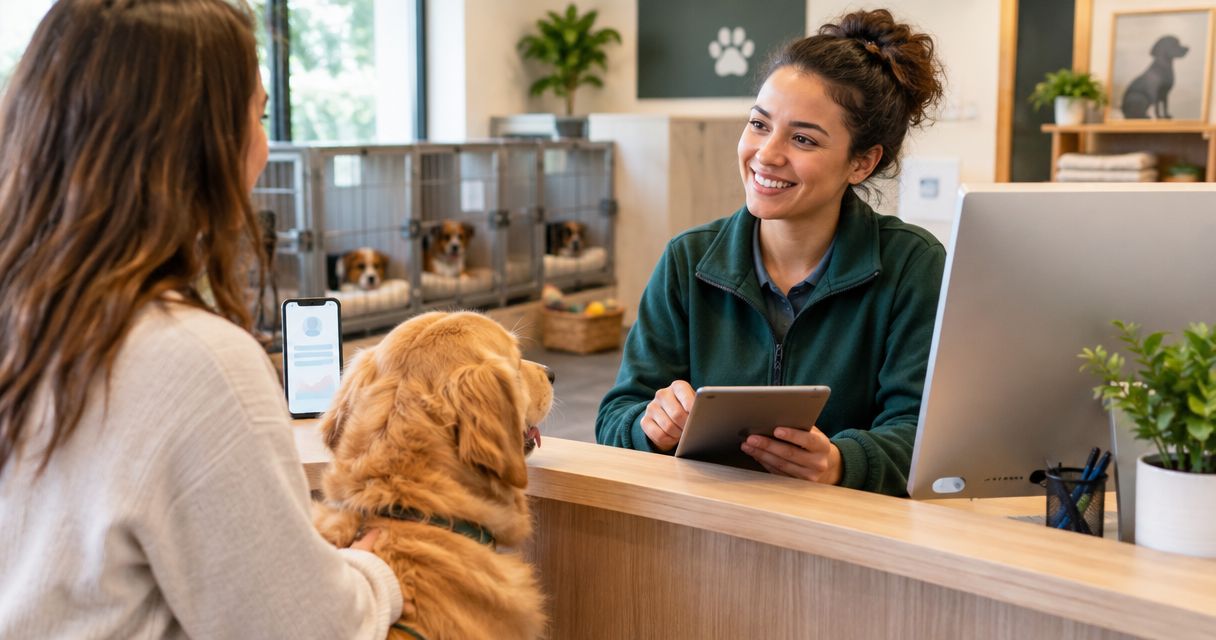
Pet boarding lead capture software collects booking inquiries and contact details so your staff can follow up while caring for animals. If calls and website messages interrupt feeding, check-ins, or cleaning, start with a clear intake process; VirtualText by VirtualPBX combines webchat, SMS, a shared team inbox, and an AI agent at $89 per month.
- Choose lead capture software for pet boarding businesses that records dates, pet details, contact information, and a follow-up owner.
- VirtualPBX's VirtualText is best for pet boarding teams that need webchat and SMS in one shared inbox.
- Keep boarding approval with staff; an automated reply is not a confirmed reservation.
- Start with a manual intake checklist, then use automation to collect after-hours inquiries.
Why lead capture matters for pet boarders
A boarding inquiry is not just a name and phone number. You need the requested stay dates, the type of pet, and enough information to decide what your staff should ask next. A message that says someone needs boarding is a starting point, not a booking.
Your intake process also has to work when staff cannot stop animal care to answer. Website visitors need a way to leave a useful request without waiting for a live conversation. The practical goal is a complete inquiry with a named person responsible for the next response.
For your 2026 setup, separate collecting requests from approving stays. This guide to capturing website leads after hours covers the collection side; your boarding team still controls acceptance and confirmation.
Set up a pet boarding lead capture process
1. Define the information your staff needs
Start manually. Put a short intake checklist beside the phone and use the same fields in your existing website form. Review actual inquiries to identify which missing details force staff to contact the owner again.
Ask for enough information to move the conversation forward, not a complete pet history. Detailed care instructions belong in your boarding intake process after staff establish whether the request fits your services. Keep initial collection focused and explain why you need each detail.
For multiple pets, make sure staff can tell which information belongs to which animal. Do not assume every pet in a household has the same care needs or boarding requirements.
- Collect the owner's name and preferred contact method.
- Ask for arrival and departure dates.
- Record each pet's species and name.
- Ask whether the owner is new or returning.
- Flag care requirements for staff review without promising acceptance.
2. Give every inquiry a clear next step
Use a shared spreadsheet or your existing tracking system before adding software. Record what happened, who owns the reply, and what the owner should expect next. An inbox alone does not create accountability.
Build your 2026 workflow around four stages: New inquiry, Staff review, Owner follow-up, and Booking decision. These stages distinguish a captured request from a reviewed request and a reviewed request from a confirmed stay.
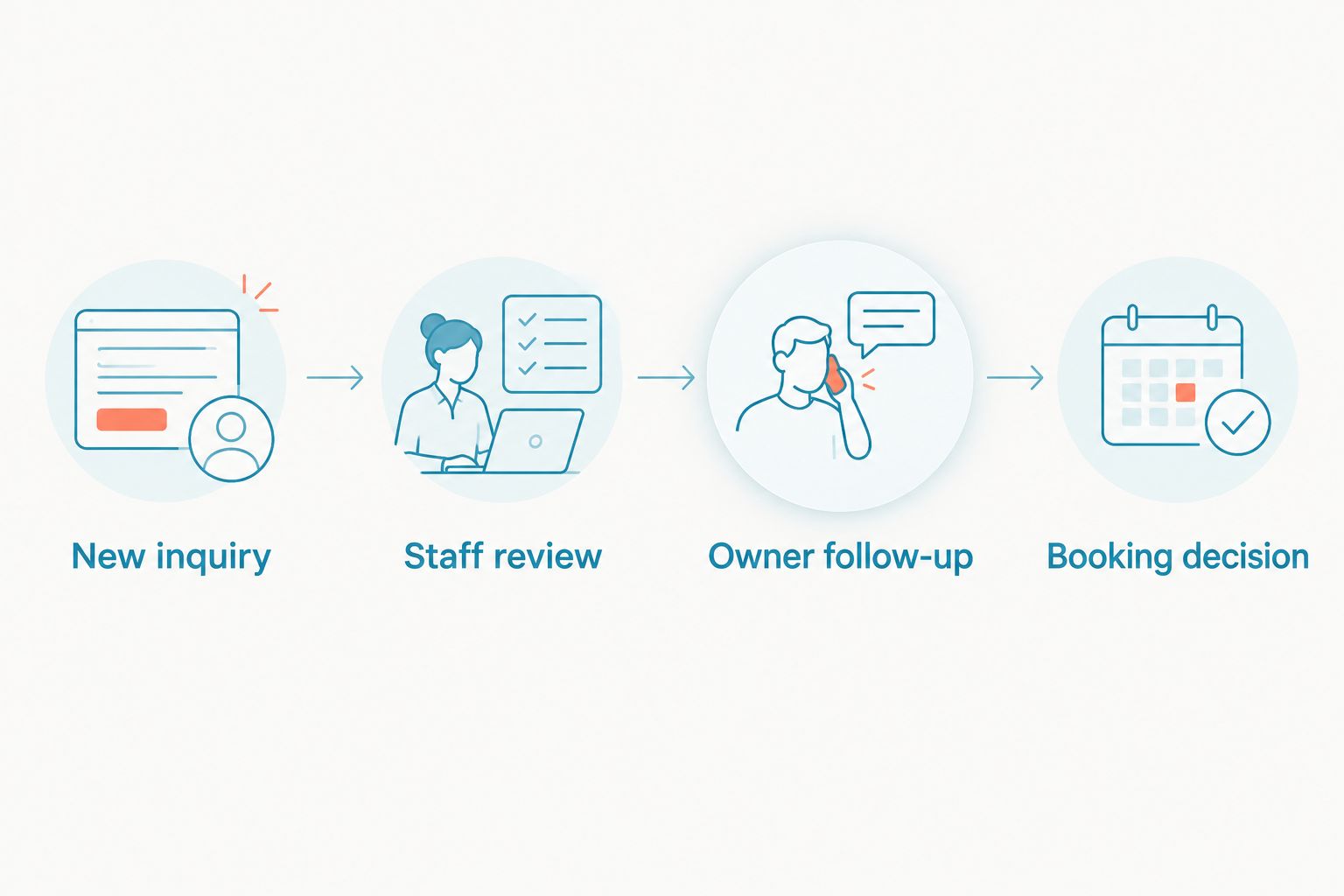
Use those stages as a manual checklist even if your chosen software does not offer matching status labels. Assign responsibility before changing status; otherwise, a request can look organized without anyone actually answering it.
- Name the person responsible for each inquiry.
- Record when the request arrived and when staff replied.
- Separate unanswered requests from conversations awaiting owner details.
- Mark unresolved care questions for review.
- Record the booking decision and its reason.
3. Choose channels that match your staffing
Keep your current form and phone process while you assess the gaps. If staff reliably handle website forms, you do not need to replace them just to add a chat window. Identify whether the problem is missing inquiries, delayed replies, or conversations scattered across personal devices.
VirtualPBX's VirtualText is best for pet boarding teams that need webchat and SMS in one shared inbox. The stated offer combines those channels with an AI agent for service teams capturing and responding to website and after-hours leads.
VirtualText is a separate web-chat and shared-inbox offer, not a replacement name for the VirtualPBX business phone system. Smarter Voice addresses cloud calling; evaluate that separately if your main problem is telephone handling.
The shared-inbox benefit is a common place for customer conversations. The limitation is equally important: communication features do not establish a boarding-management integration, pet-record system, or reservation-confirmation capability. Verify each requirement before relying on it.
- List the channels owners already use to contact you.
- Identify which channels staff can monitor during animal-care duties.
- Evaluate VirtualText for combined SMS and webchat handling.
- Evaluate phone-system changes separately from website messaging.
- Ask how conversation history and staff handoffs work in practice.
4. Write replies that collect details without promising a stay
Begin with staff-written responses saved in a shared document. Create a greeting, an after-hours acknowledgment, and a request for missing details. Test whether each response tells the owner what happens next.
For your 2026 scripts, distinguish approved business information from questions requiring judgment. Published opening hours and intake instructions are suitable reference material. Medication questions, behavior concerns, and exceptions to your boarding requirements need staff review.
If you add an AI agent, use that same approved material as the starting point. Ask the provider to demonstrate how the agent handles an unanswered question and transfers responsibility to staff. Do not assume a conversational response means the underlying answer is correct.
- State that the message collects a boarding request, not a reservation.
- Ask for missing dates before requesting lengthy care details.
- Use only your approved boarding requirements in responses.
- Direct medical and behavioral questions to staff.
- Explain when and how a person will follow up.
5. Test the process before sending all inquiries through it
Run a 7-day pilot in 2026 with a limited set of staff and one website entry point. Keep the existing contact method visible during the test. You are checking whether the process works, not asking customers to troubleshoot it.
Use 10 test inquiries covering straightforward stays, incomplete dates, multiple pets, after-hours messages, and requests needing human judgment. These are recommended test quantities, not performance benchmarks. The result you need is a clear record of what reached staff and what required correction.
Inspect the conversation from both sides. The owner's message should remain understandable when another employee takes over, and the employee should know whether a response is still needed. Check mobile access during ordinary work rather than only from an office computer.
- Submit a request during staffed hours and another after closing.
- Test a message that omits departure dates.
- Test an inquiry involving multiple pets with different needs.
- Confirm staff can find the history before replying.
- Check that the process never implies a stay is approved prematurely.
6. Measure completed inquiries and staff follow-through
Start with a manual weekly review. Count requests received, requests containing the required details, requests answered by staff, and booking decisions recorded. Define each measure before comparing one week with another.
A chat interaction is not automatically a useful lead. A useful boarding inquiry gives staff a reachable owner, requested dates, and enough pet information to decide the next action. Report those outcomes separately from total conversations.
For your 2026 review, compare the new process with your own earlier workflow rather than an unsupported industry target. Look for incomplete intake, duplicate replies, and unanswered handoffs. Change the intake questions or staff responsibilities before adding more automation.
- Count inquiries with usable contact information and stay dates.
- Record time to the first human response separately from automated acknowledgments.
- Track requests left without an assigned employee.
- Review repeated questions that scripts failed to answer.
- Record why inquiries did not progress to a booking decision.
Compare lead capture options for pet boarding
Choose the option that fixes your specific operational gap. A form collects structured details, a shared inbox supports conversations, and a boarding-management system needs evaluation against your reservation and pet-record requirements. They serve different purposes.
The VirtualText starting price below comes from its stated flat-rate offer. Confirm current terms and fit before selecting it; price alone does not answer whether the workflow meets your boarding requirements.
| Option | Best for | Starting price | Main advantage | Key limitation |
|---|---|---|---|---|
| Existing form and manual intake log | Teams that can reliably review inquiries themselves | Depends on your existing setup | Lets you define intake fields before changing tools | Staff must check, assign, and follow up manually |
| VirtualText by VirtualPBX | Teams needing SMS, webchat, a shared inbox, and an AI agent | $89 per month | Combines the stated messaging channels in one offer | A boarding integration or reservation capability is not established by the stated offer |
| Boarding-management software | Teams evaluating pet records and reservation workflows | Check the selected provider's terms | Lets you assess operational requirements alongside inquiry handling | Messaging and after-hours response capabilities require separate verification |
For VirtualText, the decision is whether combined communications solve your problem. For boarding-management software, the decision is whether the selected system handles your operational records and approval process. Do not substitute one evaluation for the other.
Explore your business communication options
Review VirtualPBX, then confirm which phone and messaging services match your boarding workflow.
Common lead capture mistakes pet boarders make
Treating an acknowledgment as a reservation
An automated response confirms receipt of a message, not acceptance of an animal. Keep confirmation language behind staff approval. Ask employees to check every greeting, saved reply, and automated response for wording that implies otherwise.
Requesting a full care history too early
A lengthy first-contact form asks owners to do detailed work before staff establish the next step. Collect contact details, dates, and basic pet information first. Move feeding, medication, and other care instructions into the appropriate intake stage.
Treating a returning pet's old details as current
A previous stay does not remove the need to verify the current request. Ask staff to confirm dates and review changes to care needs or your requirements. Keep the new inquiry distinct from the historical record.
Letting automation decide care exceptions
Collecting a question about medication or behavior is different from approving the request. Route exceptions to a person authorized to assess them. Do not allow an automated conversation to invent accommodations your boarding business has not approved.
Losing ownership during shift changes
A request can remain unanswered when each employee assumes another person handled it. Record the responsible employee and the next action before a handoff. Include unresolved owner questions, not just a summary that someone wants boarding.
FAQ
What's the best lead capture software for pet boarding businesses?
The best fit records usable boarding inquiries and gives staff a clear follow-up process. VirtualText by VirtualPBX fits teams needing SMS and webchat in a shared inbox; verify boarding integrations and reservation requirements separately.
Can lead capture software confirm a pet boarding reservation?
Do not use lead capture alone as reservation confirmation. Staff should approve the requested stay through your boarding process before sending confirmation, unless you have verified a separate booking workflow that enforces your requirements.
How much does VirtualText cost for a pet boarding team?
VirtualText's stated offer is a flat-rate $89 per month. Confirm current terms and whether its SMS, webchat, shared inbox, and AI agent match your workflow before choosing it.
Do I need an AI agent to collect boarding inquiries?
No, a website form and a staff-managed intake log can collect boarding inquiries. An AI agent adds a conversational response path, but you still need approved information and a clear route to human review.
What should I ask owners in a boarding inquiry form?
Ask for the owner's contact details, arrival and departure dates, and basic information about each pet. Flag special care questions for staff, then collect detailed care instructions at the appropriate intake stage.
Is a shared inbox better than a boarding-management system?
A shared inbox and a boarding-management system address different tasks. Use a shared inbox to manage conversations, and evaluate a boarding-management system against your reservation, pet-record, and approval requirements.
How do I handle boarding inquiries after closing?
Collect the request and clearly explain that staff will review it before confirming a stay. Ask for contact details and requested dates, and avoid promising acceptance or a response deadline your team cannot meet.
One last thing
Test a request you cannot approve, not just an easy booking inquiry. A lead capture process must handle missing dates, unanswered care questions, and requests that need staff judgment without inventing an answer. Make that test part of your 2026 launch checklist; the difficult conversation reveals whether your handoff actually works.


