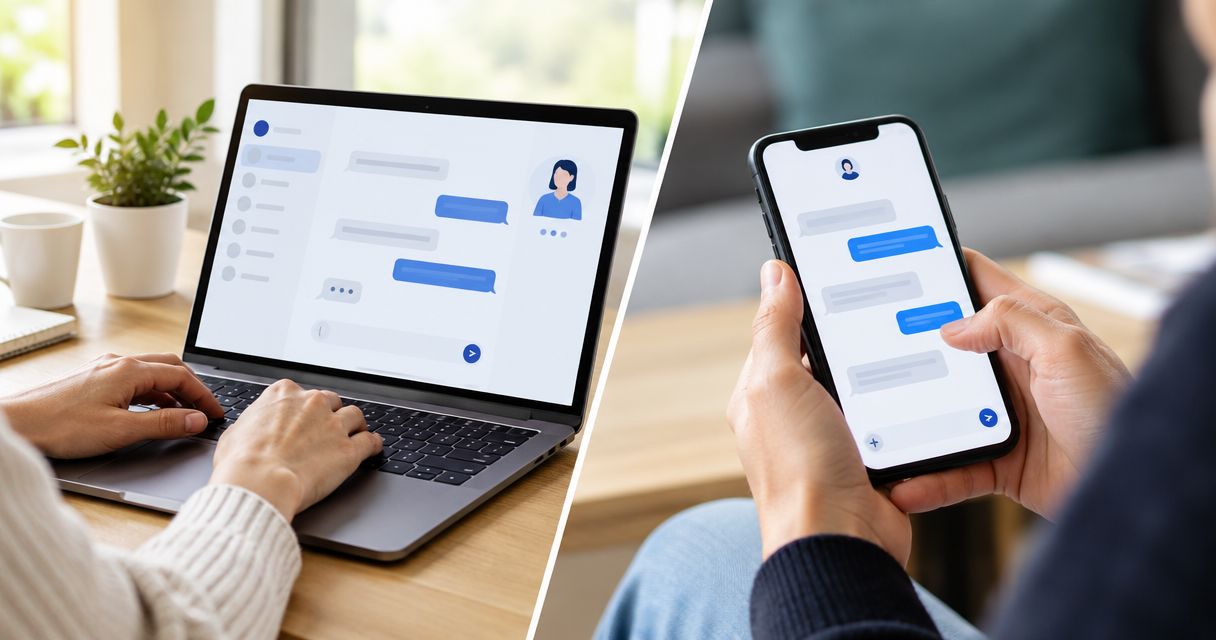
Live chat is better for starting a conversation while someone is on your website; SMS is better for continuing it after they leave. For a service business that needs both intake and follow-up, use webchat with a clear option to continue by text. The catch is that neither channel captures a usable lead unless you collect the right details, explain the next step, and assign someone to respond.
- Is live chat or SMS better for capturing website leads? Use webchat for intake and SMS for follow-up.
- VirtualPBX offers VirtualText for small service teams seeking webchat, business SMS, and a shared team inbox.
- Choose live chat for website questions; choose SMS when the conversation needs to continue away from the website.
- Compare qualified inquiries and completed next steps, not just chat starts or messages sent.
Why this matters
A website conversation is not the same as a captured lead. Someone can ask about your service, receive an answer, and disappear without leaving a way to reconnect. Your channel choice should solve that operational problem, not just add another message button.
For your 2026 setup, separate the phone system from the website-messaging requirement. VirtualPBX provides business communications; this decision concerns how website inquiries enter your team’s workflow and reach the person responsible for answering them.
Choose the channel around the next customer action. A visitor checking your service area needs a direct answer. A visitor requesting an estimate also needs a reliable way to continue the conversation.
Is live chat or SMS better for capturing website leads?
Live chat fits the website visit. SMS fits an ongoing conversation through the visitor’s phone number. Neither is the universal winner: choose based on whether you need an immediate website exchange, later follow-up, or both.
| Option | Best for | Main advantage | Main limitation | Recommendation |
|---|---|---|---|---|
| Live chat | Questions during a website visit | Visitors can start without switching to their messaging app | A conversation without contact details leaves no reliable follow-up route | Use for on-page intake |
| SMS | Conversations that continue after the visit | Your team can exchange messages through a provided mobile number | You need an appropriate basis to text and a process for handling replies | Use for ongoing follow-up |
| Webchat plus SMS | Service inquiries requiring intake and later contact | You can offer a website starting point and a separate text follow-up route | Your team must manage permission, conversation context, and ownership | Use when both stages matter |
These are workflow differences, not conversion-rate claims. Your 2026 decision should depend on what happens to your own inquiries between first contact and a completed next step.
A chat widget does not necessarily support SMS continuation. Before choosing software, confirm how it captures a number, records the visitor’s preference, and presents the conversation to staff.
Live chat: best for questions during the website visit
Choose live chat when visitors need help understanding your services before deciding whether to contact you. Keep the opening focused on their question rather than demanding a full intake form immediately.
For example, a visitor might need to confirm whether you serve their location or handle their type of request. Answer that question first. Then ask for the details needed to arrange the next step.
The advantage is an on-page starting point. Visitors can ask while reading your service information. Your team can clarify what they need without asking them to explain everything in a separate phone call.
The limitation is follow-up. Do not assume that a chat transcript gives you a usable contact method. If the visitor leaves without providing one, your staff cannot treat the conversation as a callback request.
Make the distinction visible in your reporting:
- A conversation started means someone sent a message.
- A captured inquiry includes enough information to respond.
- A qualified inquiry matches the services and locations you handle.
- A completed next step means the agreed action actually happened.
Those categories keep a busy chat window from looking like a successful booking process when it is not.
SMS: best for continuing a lead conversation
Choose SMS when your team needs to contact a visitor after the website visit ends. It suits requests that need a later answer, additional details, or coordination with another employee.
The advantage is continuity through a contact number. The visitor does not need to remain on the service page to exchange text messages. Your staff can work toward the next action through the agreed channel.
The limitation is responsibility. Collecting a mobile number is not a reason to send unrelated promotions. Explain what the visitor is requesting, identify your business in messages, and establish a process for honoring requests to stop.
Keep service follow-up separate from marketing campaigns. Have your legal adviser or compliance lead review consent language and messaging practices for your use case; do not treat a website checkbox as a blanket compliance guarantee.
SMS also needs coverage. A text that reaches an unattended inbox has the same ownership problem as an unanswered chat. Decide who handles new inquiries, who covers absences, and who closes the conversation when the request is resolved.
Webchat plus SMS: best for intake and follow-up together
Use both when visitors need a quick website conversation but your team needs time to finish the work. Start with the question, then offer an appropriate follow-up channel rather than forcing every visitor into the same route.
VirtualPBX’s VirtualText is best suited to small service teams seeking webchat, SMS, and a shared team inbox in one platform. The supplied platform description also includes an automated agent for website and after-hours inquiries.
The practical benefit is having those messaging functions together. The trade-off is that a shared inbox still needs operating rules: software does not decide which requests your business accepts or who should handle an exception.
Before choosing a combined system, check these details in a demonstration:
- How staff distinguish website messages from text messages.
- How the visitor’s contact preference is recorded.
- How conversation history appears during a handoff.
- How staff identify unanswered and unresolved inquiries.
- How an automated exchange reaches a person when needed.
Ask to see the actual workflow rather than assuming every feature connects automatically. A combined feature list is not proof that the handoff matches your process.
Why the better channel varies
The better choice depends on your workflow, not a universal claim about which channel customers prefer. Use these factors to decide where each channel belongs.
- Visitor intent. A simple service question needs an answer; an estimate request also needs contact details and a next action.
- Staff coverage. Staffed live chat needs someone available to answer. SMS needs someone responsible for replies even when the exchange is asynchronous.
- Follow-up requirements. Choose a continuing contact route when the answer depends on a technician, agent, scheduler, or another team member.
- Information sensitivity. Limit initial intake to necessary details. Move sensitive information into an approved process rather than requesting it casually in chat or text.
- Team ownership. A shared inbox needs assignment rules so employees know which conversations require their attention.
- Customer preference. Offer an appropriate alternative when a visitor does not want to continue by text.
For a 2026 rollout, write these decisions down before changing the website. Clear coverage and escalation rules matter more than how many messaging buttons you display.
How do you set up a website-to-text lead workflow?
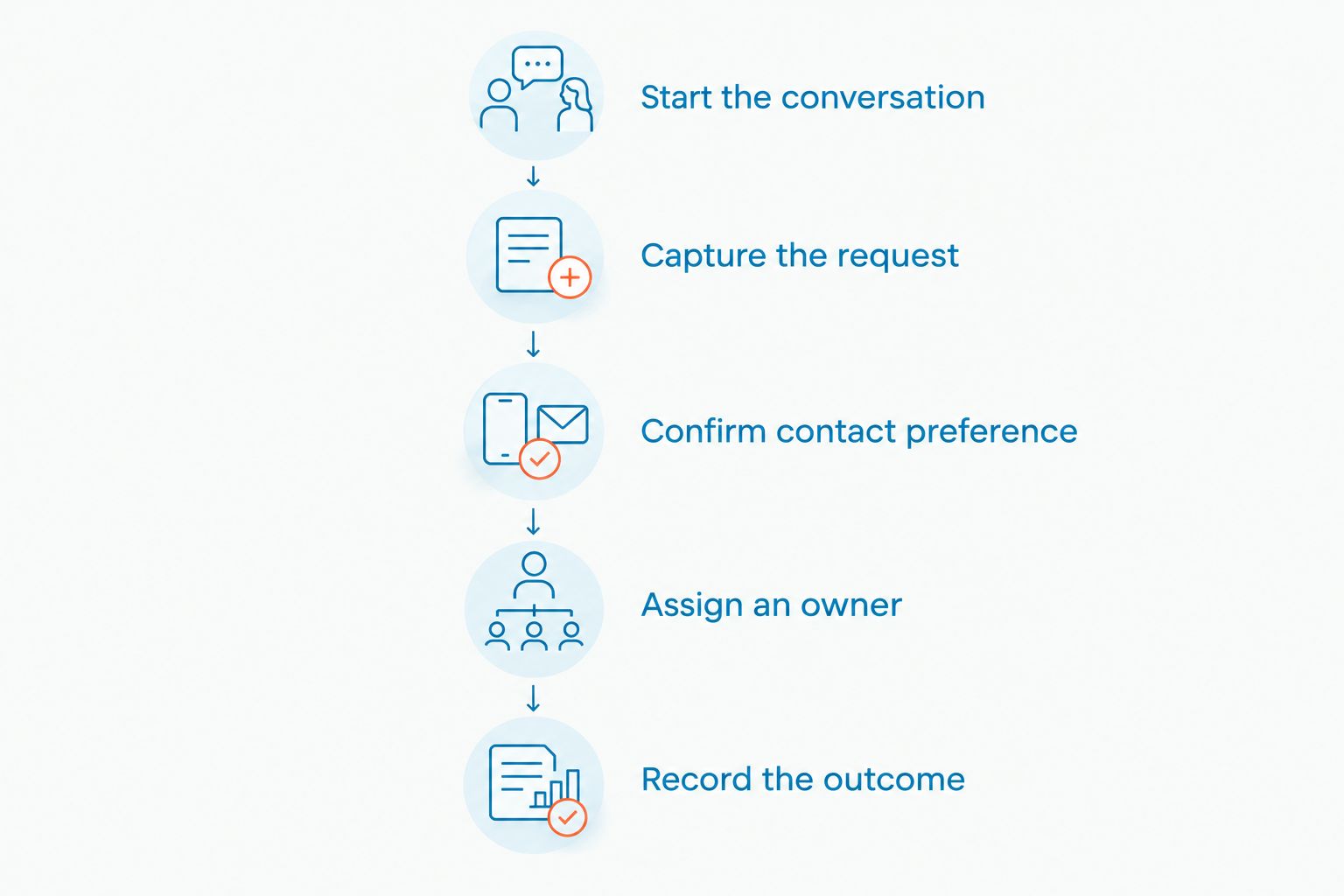
Build the workflow around a completed next step. Use the following sequence as a setup plan, then test it from the visitor’s side before making it public.
- Start the conversation. Give visitors a clear way to ask a service question. State whether they are speaking with a person or an automated assistant.
- Capture the request. Ask what they need and collect only the information required to assess it. Avoid asking them to repeat information already provided.
- Confirm contact preference. Offer text follow-up where appropriate and explain its purpose. Provide another route for visitors who prefer a call or email.
- Assign an owner. Make a staff member responsible for the next action. Include the request, relevant context, and agreed contact route in the handoff.
- Record the outcome. Mark whether the inquiry reached its next step, needs more information, or falls outside your services.
Use 3 intake fields as a starting design: name, service request, and preferred reply method. Add location or other details only when your team needs them to decide what happens next.
Then test the awkward cases. Leave the website before the exchange finishes, submit a request outside your service area, and ask a question the automated assistant should not answer. Confirm that staff can identify what happened and take the appropriate action.
The guide to combining SMS and webchat into one team inbox covers the organizing step behind this workflow. Keep the customer-facing process simple even when different employees handle intake and follow-up.
Is live chat or SMS better after hours?
After hours, choose the channel according to what your business can actually deliver. Neither an open chat widget nor an SMS number proves that a person is available.
For your 2026 after-hours workflow, distinguish acknowledgment from resolution. An automated assistant can collect a request or provide approved information; it should not promise an appointment, dispatch, or coverage decision your business has not confirmed.
State the handoff clearly. Tell visitors that their request needs staff review when that is the case, and explain the next action without inventing a response deadline.
Keep urgent requests separate from routine lead capture. If your business has an established urgent-contact procedure, direct visitors to it rather than leaving them waiting in an ordinary message queue.
How do you measure whether chat or SMS captures better leads?
Measure the same outcome for both channels. Comparing chat starts with SMS bookings gives you a misleading result because those events represent different stages.
Use these definitions in your 2026 reporting:
| Measure | What to record | What it tells you |
|---|---|---|
| Captured inquiry | A service request with a usable reply route | Whether staff can continue the conversation |
| Qualified inquiry | A request that meets your documented service criteria | Whether the channel brings relevant opportunities |
| Completed next step | The agreed call, appointment, estimate process, or other action | Whether the inquiry progresses |
| Unresolved inquiry | A request without a completed or documented next action | Where follow-up needs attention |
Compare similar requests and operating hours. Do not blame SMS for requests outside your service area or credit chat for bookings that staff completed through another channel without recording the handoff.
Fix missing contact details and unassigned conversations before adding more automation. Those are workflow defects, not evidence that one channel is inherently worse.
FAQ
Should a small business choose live chat or SMS for website leads?
Choose live chat for questions during the website visit and SMS for agreed follow-up afterward. Use both when your intake process regularly needs a later response.
Can live chat capture a lead without a phone number?
Yes, live chat can capture a lead through another usable reply method, such as an email address. A conversation without any follow-up route should not count as a contactable lead.
Does adding a chat widget automatically let me text visitors?
No, a chat widget does not automatically establish an SMS follow-up workflow. Confirm number capture, contact preferences, messaging capability, and staff ownership before launch.
Is SMS better than chat for after-hours inquiries?
SMS is useful for continuing an after-hours inquiry, but the channel alone does not provide staffing. Explain what your business can handle automatically and what needs a person.
Should I require a phone number before answering a website question?
Do not require a phone number when you can answer a basic service question without it. Ask for contact details when the visitor requests a next step that requires follow-up.
Does VirtualPBX offer webchat and texting together?
VirtualPBX’s VirtualText combines webchat, SMS, a shared team inbox, and an automated agent for small-business service teams. Confirm the conversation handoff and intake process against your business requirements.
What should I measure to compare live chat and SMS?
Measure qualified inquiries and completed next steps using the same definitions for both channels. Record unresolved requests so you can distinguish channel performance from missed staff follow-up.
One last thing
The most useful test is not whether your chat bubble opens. It is whether someone can leave your website halfway through a request and your team still knows what to do next.
Before your 2026 launch, walk through that unfinished conversation yourself. If the reply route, permission, or owner is unclear, fix the handoff before sending more visitors into it.