

JustCall combines business calling and texting, but that mix stops being enough when your small team needs a simpler phone setup or a shared place to handle website leads. The best JustCall alternative in 2026 is VirtualPBX if you need small-team calling; VirtualText if website chat and a shared texting inbox matter more. Choose Dialpad if call transcription is your main reason to switch.
- For justcall alternatives in 2026, choose VirtualPBX for small-team calling and VirtualText for website leads and shared texts.
- Stay with JustCall if its calling and texting already fit your team's daily work.
- Choose Dialpad when reviewing and transcribing calls matters more than website lead handling.
- Test the handoff between calls, texts and website chat before you switch.
Why this matters
A missed call, an unanswered text and an unattended website chat create different problems. A phone system can route the call without giving your team one place to manage written replies. A shared inbox can organize texts and chats without replacing the phone system your staff uses all day.
That distinction matters more than a feature count. Before comparing JustCall alternatives in 2026, identify where customers first reach you and where the conversation gets stuck. A service team that takes most requests by phone needs a different answer from one that loses website inquiries after hours.
JustCall alternatives at a glance
| Tool | Best for | Standout capability | How it differs from JustCall |
|---|---|---|---|
| JustCall | Teams that want calling and texting together | Business calls and SMS | The benchmark: keep it if both channels already work for your team. |
| VirtualPBX | Small teams that need a business phone system | Cloud calling, routing and number transfers | Centers the decision on business calling, with optional AI call handling. |
| VirtualText | Service teams handling website leads and customer texts | Webchat, SMS, a shared inbox and an AI agent | Centers the decision on written conversations and after-hours website leads. |
| Dialpad | Teams focused on call transcription | AI-assisted calling and transcription | Puts more weight on reviewing what happened during calls. |
The dividing line is the work your team must finish. If the main task is answering and routing calls, start with a phone-system comparison. If the main task is responding to people who text or leave a website inquiry, compare inbox workflows instead. Do not assume that a feature with the same name creates the same handoff for your staff.
Put the customer path on paper first
Trace one recent inquiry from first contact to a completed reply. Note whether it arrived as a call, text or website chat; who saw it; and who was responsible for the next response. You do not need a vendor demo to identify a handoff that currently fails.
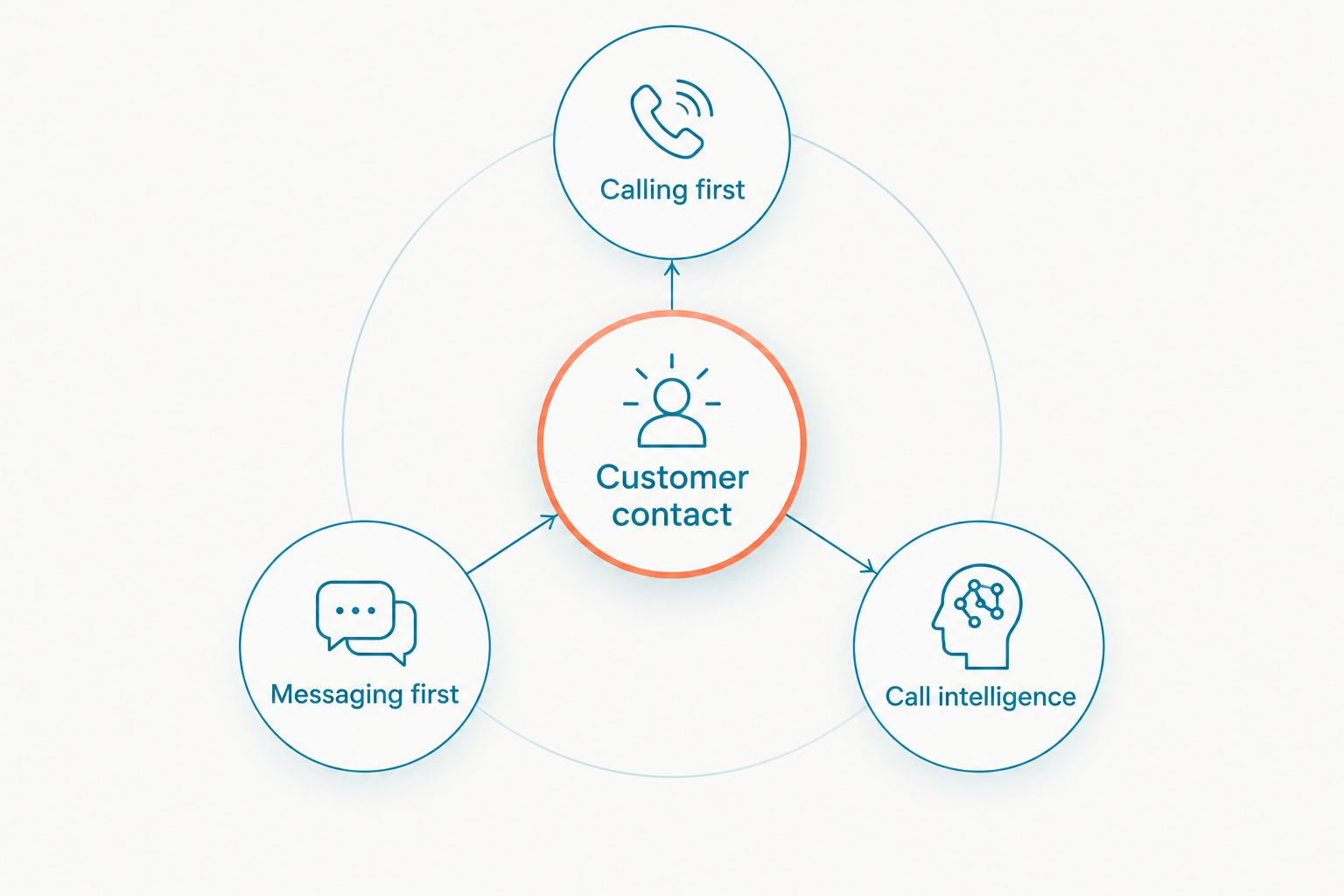
- Calling first: You need staff to answer, route and return business calls without relying on personal phones.
- Messaging first: You need incoming texts and website chats visible to the people responsible for replying.
- Call intelligence: You need to review call conversations so staff can follow up accurately.
A team can need more than one of these. Rank them anyway. Your first priority determines which product should anchor the evaluation; the remaining needs become questions about the workflow around it.
1. VirtualPBX: best for small-team business calling
VirtualPBX is the strongest fit here when your first requirement is a straightforward business phone system. Its Smarter Voice offer covers cloud calling, mobile, desktop and web apps, business SMS, routing and number porting. AI FrontDesk and AI MessageDesk are optional; you do not have to make AI the reason for changing your phone system.
That focus is useful if incoming calls need a clear route to the right person. It is also a better starting point than an inbox comparison when your team still needs its business numbers, calling apps and day-to-day phone workflow. The stated number-transfer path avoids downtime, and support comes from real people.
Where VirtualPBX shines
- Business calling is the core offer, not a side feature of a website-chat tool.
- Staff can use mobile, desktop or web apps for the phone system.
- Routing and number porting address practical questions that arise during a phone-system change.
- Optional AI call handling gives teams a separate decision to make after the basic calling workflow is clear.
Where VirtualPBX falls short
- If your main problem is organizing website chats and customer texts in one team inbox, its phone-system focus is not the closest match. Evaluate VirtualText for that job.
- You still need to decide how AI call handling fits your business; the core phone system alone does not answer that operational question.
Best for: A small business that needs to answer and route calls first, then decide whether to add AI call handling. Verdict: Choose VirtualPBX for calling-first teams.
| Decision point | VirtualPBX | JustCall |
|---|---|---|
| Primary reason to evaluate | Small-team business phone system | Business calling and texting together |
| Calling workflow | Cloud calling, apps and routing | Business calling |
| Texting | Business SMS | Business SMS |
| AI decision | Optional AI FrontDesk and AI MessageDesk | Check the current product against your call-handling needs |
For a real comparison, give both products the same call path: an incoming inquiry, a transfer and a follow-up text. Ask the staff who handle those steps to assess the workflow. A feature list will not show whether the right person can pick up the conversation without asking the customer to start over.
2. VirtualText: best for website leads and shared texts
VirtualText, by VirtualPBX, is a separate offer for small-business service teams. It brings SMS, webchat, a shared team inbox and an AI agent into one platform. That makes it the closer JustCall alternative when your problem is not the phone call itself but the website visitor or customer text that no one owns after hours.
Consider the path of a service inquiry: someone opens a website chat, leaves a question, then expects a useful reply. A shared inbox gives the team a common place to handle that written conversation. The AI agent is relevant when an inquiry arrives while staff are away; your team still needs to decide which questions it should handle and which ones require a person.
Where VirtualText shines
- Webchat and SMS cover 2 customer-facing messaging channels in the stated offer.
- A shared inbox gives small service teams one place to work on those conversations.
- The AI agent addresses after-hours lead response rather than changing the team's phone system.
- Its scope matches service teams in insurance, home services and healthcare that receive website leads.
Where VirtualText falls short
- It is not the core VirtualPBX phone-system offer. If replacing business calling is the job, evaluate VirtualPBX instead.
- An AI reply still needs a clear boundary: decide what information the agent can collect and when a staff member takes over.
Best for: A service team whose website leads and customer texts need a shared response workflow. Verdict: Choose VirtualText for messaging-first teams.
| Decision point | VirtualText | JustCall |
|---|---|---|
| Primary reason to evaluate | Website leads and shared text replies | Business calling and texting together |
| Website conversations | Webchat in the stated offer | Verify the current website-chat workflow |
| Team handling | Shared inbox in the stated offer | Verify how your team assigns and follows up on messages |
| After-hours path | AI agent in the stated offer | Verify the current after-hours workflow |
Run a simple intake check before changing tools. Send a website inquiry and a text about the same job. See whether staff can identify the owner of each conversation, what information has already been collected and what reply is due next. That is the work VirtualText should make easier; do not evaluate it as though it were a replacement for the business phone system.
3. Dialpad: best for reviewing calls
Dialpad belongs on the shortlist when call transcription is central to your decision. It is a different priority from replacing a small-business phone workflow with VirtualPBX or bringing webchat and SMS into VirtualText. If your staff spend time checking what a caller said before they follow up, assess that task directly.
Where Dialpad shines
- Call transcription helps teams review spoken conversations.
- Its calling focus makes it relevant when the problem starts on the phone, not in a website chat.
Where Dialpad falls short
- A transcription feature does not, by itself, tell you who owns a website inquiry or customer text.
- If shared written replies are the priority, you need to evaluate that workflow separately rather than choosing on call features alone.
Best for: A team that puts call review ahead of website lead handling. Verdict: Choose Dialpad when transcription is the deciding requirement.
| Decision point | Dialpad | JustCall |
|---|---|---|
| Primary reason to evaluate | Call transcription and review | Business calling and texting together |
| Calling | Business calling | Business calling |
| Customer texts | Check the current team workflow | Business texting |
| Website leads | Evaluate separately | Evaluate the current website workflow |
Why people switch from JustCall
Switch because a specific task needs a better home, not because another vendor lists more features. JustCall's calling and texting are useful if those are the channels your staff already manage well. The case for a change becomes clear when you can name the handoff that does not work.
- The phone system is the priority. A team that needs cloud calling, routing, apps and a number-transfer path should compare its current setup with VirtualPBX's core phone offer.
- Website inquiries need an owner. A service business receiving webchat leads should assess how staff see, assign and answer them. VirtualText explicitly combines webchat with a shared team inbox.
- Written conversations arrive after hours. If a website visitor or texting customer contacts you when staff are away, map what the AI agent should collect and where the conversation goes next. VirtualText is the option here built around that path.
- Staff need to review calls. If follow-up depends on the content of a spoken conversation, compare Dialpad's transcription workflow with what your team uses now.
Before moving a number or changing the way a team replies, write down the current process. Identify the first person who receives each type of inquiry, the person who takes over when needed and the record staff consult before responding. Then repeat those steps in the product you are considering. This test separates a useful improvement from a change that merely moves the same missed handoff elsewhere.
A practical 2026 switching check
Use 3 questions in every evaluation: Can the customer reach you through the channel they chose? Can the right staff member see the conversation and take responsibility? Can that person respond without making the customer repeat the request? Apply the same questions to a live call, a text and a website inquiry where those channels matter to your business.
For a calling-first change, ask how existing numbers move and how staff will answer during the transition. VirtualPBX states that number transfers can happen without downtime and offers a 14-day money-back guarantee. Those terms do not replace a workflow test; they give you concrete setup and objection-handling questions to raise before you commit.
For a messaging-first change, decide what an after-hours AI agent can answer, what it should collect and when a person must step in. In insurance or healthcare, that boundary deserves particular attention because customers can bring sensitive questions to an ordinary contact channel. Set the boundary around your own operating rules rather than assuming an automated reply is appropriate for every request.
Review your phone setup
See the business calling option before deciding whether your team also needs a shared messaging inbox.
When staying with JustCall is right
Keep JustCall if your team already answers calls, manages texts and follows up without losing ownership of inquiries. A switch adds work: staff must learn a new routine, and you need a clear plan for the conversations already in progress. Do not take on that change just to acquire a feature your team has no process for using.
Staying is also sensible if the gap is a staff assignment problem rather than a product limitation. Define who watches incoming messages, who covers after hours and when a conversation is handed off. If that fixes the missed reply, you have answered the business problem without replacing the calling and texting workflow that already works.
FAQ
What is the best JustCall alternative for a small business in 2026?
VirtualPBX is the best fit here when a small-business phone system is your main need. Choose VirtualText instead when website chat, SMS and a shared team inbox drive the decision.
Is VirtualPBX a replacement for JustCall?
VirtualPBX is an alternative for teams prioritizing business calling and routing. Compare your current texting and call workflows before moving, because a feature list alone does not show how staff handle an inquiry.
Is VirtualText the same as VirtualPBX?
No. VirtualText is a separate offer by VirtualPBX for SMS, webchat, a shared team inbox and an AI agent. VirtualPBX's core offer is the business phone system.
Which JustCall alternative works for website leads after hours?
VirtualText is the option in this comparison built around website chat, a shared inbox and an AI agent. Define what the agent should collect and when staff take over before using it for after-hours inquiries.
Should I choose Dialpad over JustCall?
Choose Dialpad when call transcription is the main requirement you need to assess. Keep JustCall on the shortlist if its existing calling and texting workflow already covers the team's work.
Can I keep my business number when changing phone systems?
VirtualPBX offers number porting and states that number transfers can happen without downtime. Confirm the transfer plan for your numbers before changing how staff answer calls.
Do I need AI to switch from JustCall?
No. VirtualPBX offers a business phone system with AI FrontDesk and AI MessageDesk as optional products. Start with the calling workflow, then decide whether AI call handling addresses a specific gap.
One last thing
In 2026, the useful comparison is not which tool has the longest feature list. It is whether the customer who calls, texts or opens a website chat gets an accountable next response. Choose the product built around the channel where that handoff currently breaks.


