
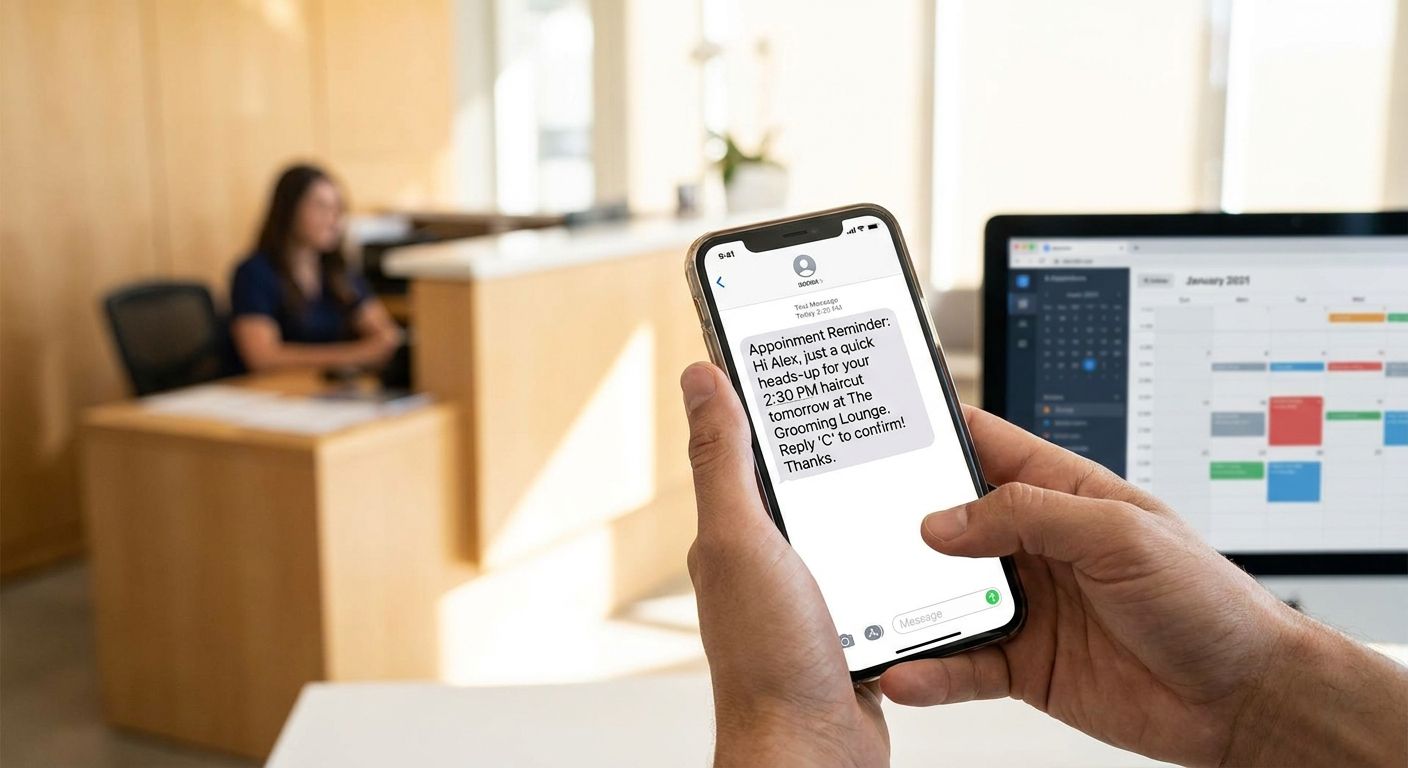
Appointment reminder texts cut no-shows when they land at the right time, state the date and time in the first line, and give the recipient a one-word way to confirm or reschedule. Get those three things right and a two-way text reminder outperforms a single reminder call or a buried email footer every time in 2026.
- Send two reminder texts: one 48 hours out, one 2-3 hours before the visit.
- Front-load date, time, and location — don't bury them in a paragraph.
- Give a one-tap reply option so clients can confirm or reschedule without calling.
- VirtualText routes reminder replies into one shared inbox so front-desk staff sees them instantly.
- Skip one-way blasts that don't let the client respond — they get ignored fastest.
Why this matters
A missed appointment costs a dental practice, a chiropractor, or a vet clinic an open chair and no revenue to fill it same-day. Phone reminders get screened as spam calls. Email reminders sit unread in a promotions tab. Text reminders get opened fast because most people check texts within minutes, and a text that asks for a one-word reply turns a passive reminder into an active confirmation.
Most front desks already know reminders help — the problem is execution. A single reminder sent three days early gets forgotten. A reminder with no reply option forces the client to call back, and half of them won't bother; they just don't show. Fixing the timing and the reply mechanic is most of the work, and platforms like business SMS service for dental practices handle the sending and the reply routing automatically instead of leaving it to whoever remembers to text that morning.
How to send appointment reminder texts that reduce no-shows
Follow these steps in order — skipping the reply option is the single biggest reason reminder texts underperform.
- Send the first reminder 48 hours before the appointment. This window gives the client enough time to reschedule instead of simply not showing up, and it's early enough that they haven't already made other plans around the slot.
- Send a second reminder 2-3 hours before the appointment. This catches same-day forgetfulness — the client confirmed two days ago but the morning got away from them.
- Put the business name, date, time, and location in the first sentence. A recipient scanning a notification banner should get the essential facts without opening the message.
- Add a one-tap reply option. "Reply C to confirm, R to reschedule" turns the text into an action instead of a passive notice.
- Route replies into a shared team inbox, not one employee's personal phone, so whoever is at the front desk sees the confirmation or reschedule request in real time. This is where a texting service for chiropractors or similar shared-inbox setup earns its keep — nobody has to hunt through a personal phone's message thread to find who confirmed.
- Call only when neither text gets a reply. Reserve the phone call for the exception, not the default — it's the slowest and most expensive way to confirm an appointment.
Sample reminder text
"Hi [Name], this is [Practice] confirming your appointment Thu 3/12 at 2:00 PM at [Location]. Reply C to confirm or R to reschedule."
That's the entire message. No extra sentences, no logo description, no disclaimer paragraph — the client needs three facts and one action.
Why no-show rates vary
No two practices see the same no-show pattern, and reminder texts don't erase every gap. A handful of factors drive the difference:
- Appointment type — routine checkups have different no-show patterns than first-time consultations or specialist referrals.
- Lead time between booking and the visit — appointments booked weeks out get forgotten more than same-week bookings.
- Number of reminders sent — a single reminder catches fewer no-shows than a two-touch schedule (48 hours plus 2-3 hours).
- Message clarity — a reminder that buries the date and time in a long paragraph gets skimmed and missed.
- Reply mechanic — two-way texts that accept a reply outperform one-way blasts that just announce the appointment.
- Industry norms — healthcare and personal-care appointments (dental, vet, med spa) tend to see different no-show behavior than one-time service calls like plumbing or towing.
“A reminder text with no reply option is just a notification — a reminder text with a reply option is a confirmation.”
What should an appointment reminder text include?
An appointment reminder text should include the business name, the exact date and time, the location, and a reply option to confirm or reschedule — in that order, in the first sentence. Anything after that (parking instructions, what to bring) belongs in a second line, not the opening.
How many reminder texts should you send before an appointment?
Two reminder texts catch the most no-shows: one 48 hours before the visit and one 2-3 hours before it. A single early reminder misses the same-day forgetfulness that the second text is built to catch.
Is text or email better for appointment reminders?
Text reminders get read faster than email reminders because most people check a text notification within minutes of receiving it, while email sits in an inbox until the recipient opens the app. For appointments 24-48 hours out, a text with a reply option beats an email that requires the client to click through and reply on a keyboard.
Healthcare front desks juggling multiple providers see this most: a team inbox for healthcare front desks keeps every reminder reply sorted by provider and time slot instead of one inbox getting flooded.
Set up reminder texts for your team
Send automated reminders and route replies into one shared inbox.
For missed calls that turn into no-shows before the appointment is even booked, the same auto-reply setup for missed calls applies — a client who couldn't get through by phone gets a text instead of giving up.
FAQ
How far in advance should you send an appointment reminder text?
Send the first reminder 48 hours before the appointment and a second one 2-3 hours before. The 48-hour window leaves room to reschedule; the 2-3 hour window catches same-day forgetfulness.
Do appointment reminder texts actually reduce no-shows?
Reminder texts reduce no-shows when they include a reply option and arrive on a two-touch schedule. A single one-way text without a reply mechanic performs closer to no reminder at all.
What's the best way to word an appointment reminder text?
State the business name, date, time, and location in the first sentence, then give a one-word reply option like 'Reply C to confirm.' Keep the whole message under two sentences.
Should reminder texts go to a personal phone or a shared inbox?
Reminder replies should route to a shared team inbox, not one employee's personal phone. That way any front-desk staffer can see confirmations and reschedules without hunting through someone's personal messages.
Is it better to call or text for appointment reminders?
Text first and reserve the phone call for clients who don't reply to either text. Texting is faster to send, faster to read, and doesn't interrupt the client's day the way a call does.
Can appointment reminder texts be automated?
Yes — automated reminder texts scheduled at 48 hours and 2-3 hours before an appointment run without a staff member sending each one manually. Replies still land in a shared inbox for a human to review.
What should you do if a client doesn't reply to a reminder text?
Follow up with a phone call only after both scheduled texts go unanswered. Calling first defeats the purpose of automating the reminder in the first place.
One last thing
The reminder that gets ignored most often isn't the one sent too early — it's the one with no way to respond. A text that says "See you Thursday at 2 PM!" with no reply option leaves the client no path to reschedule by text, so they either call (friction) or just don't show. Add the reply option before you touch the timing.


