

GoTo Connect gives small businesses a phone system for calls and meetings, but a service team also has to answer website visitors and after-hours messages. A phone-system decision stops being the whole decision when SMS, webchat, and a shared inbox become priorities. The best GoTo Connect alternative in 2026 is VirtualPBX if you are choosing VirtualText for service-lead response; RingCentral belongs on the shortlist if you need another calling platform.
- For GoTo Connect alternatives in 2026, choose VirtualText by VirtualPBX when SMS, webchat, and a shared inbox are the priority.
- Choose RingCentral or Nextiva to compare business phone systems, not as substitutes for a dedicated lead-response decision.
- Keep GoTo Connect if its calling and meeting tools already cover your team's main job.
- Before switching, check where website chats and after-hours messages go, who owns each reply, and whether you still need a phone system.
Why this matters
A caller and a website visitor are trying to reach the same business, but they enter through different channels. If your team shops only for a replacement phone system, it can leave the webchat and text workflow undecided. If it shops only for a messaging tool, it can leave calling undecided. Those are separate purchasing decisions.
That distinction matters for an insurance agency taking intake questions, a home-service company responding to job requests, or a healthcare service team handling website inquiries. In each case, someone needs to see the message, decide who replies, and continue the conversation. The right shortlist depends on whether your immediate problem is business calling or responding to incoming messages.
This 2026 comparison treats VirtualText as a separate SMS, webchat, shared-inbox, and AI-agent option. It does not present VirtualText as a like-for-like replacement for every GoTo Connect phone feature. Use the phone-platform entries when calls and meetings are the requirement; use the messaging entry when incoming texts and website leads are the requirement.
GoTo Connect alternatives at a glance
| Option | Best for | Standout focus | How it differs from GoTo Connect |
|---|---|---|---|
| GoTo Connect | Teams satisfied with their current business calling and meetings | Calls and meetings in a business communications platform | The benchmark: keep it when those workflows are the priority. |
| VirtualText by VirtualPBX | Small service teams handling texts, website chats, and after-hours leads | SMS, webchat, a shared team inbox, and an AI agent | Compare it for message handling, not as a direct phone-system substitute. |
| RingCentral | Teams comparing business calling platforms | Business calling and meetings | Another phone-platform choice; assess its calling workflow against GoTo Connect. |
| Nextiva | Teams comparing business phone systems | Business calling | Another phone-system choice; assess its phone workflow against GoTo Connect. |
The table has two different kinds of alternative. RingCentral and Nextiva belong in a phone-system evaluation. VirtualText belongs in a lead-response evaluation. Do not treat a shared inbox as proof that calling is covered, or a business phone system as proof that your team has settled how to handle website chats.
1. VirtualText by VirtualPBX: best for service-lead response
VirtualText is the SMS, webchat, shared-team-inbox, and AI-agent offer described for small-business service teams. It fits a team whose immediate problem is collecting and answering customer messages, including website and after-hours inquiries. Best for: insurance agencies, home-service teams, and healthcare service teams that need to coordinate incoming texts and chats.
A shared inbox changes the ownership question. Instead of asking which employee received a message on a personal device, the team can work from a common place for incoming conversations. An AI agent adds an option for handling inquiries when staff are unavailable. Neither point removes the need to decide what the agent should answer and when a person takes over.
Where VirtualText shines
- SMS and webchat address customers who do not start with a phone call.
- A shared team inbox gives staff one place to coordinate incoming messages.
- An AI agent offers an option for after-hours and website lead response.
- The offer is aimed at small service teams rather than a general meeting workflow.
Where VirtualText falls short
- Its stated feature set does not establish it as a replacement for GoTo Connect business calling or meetings.
- A team that depends mainly on live calls still has to choose or retain a phone system.
- An AI agent needs clear answers, escalation rules, and a person responsible for unresolved conversations; the offer description alone does not settle those operating decisions.
| Decision point | VirtualText | GoTo Connect |
|---|---|---|
| Primary question | How does the team handle texts and website chats? | How does the team handle business calls and meetings? |
| Shared work | Evaluate SMS, webchat, and the shared inbox. | Evaluate the phone workflow your team uses. |
| After-hours test | Define which inquiries the AI agent handles and which reach staff. | Define what happens to calls outside staffed hours. |
| Replacement test | Do not assume it replaces a phone system. | Do not assume a phone decision settles website lead response. |
Verdict: Choose VirtualText for the messaging problem. Hold your phone-system decision until you have compared calling requirements separately.
2. RingCentral: best for a calling-platform comparison
RingCentral belongs on the shortlist when the purchase is a business communications platform rather than a dedicated shared inbox for website leads. Compare the calling and meeting workflows your team uses now. Best for: a team considering a replacement for GoTo Connect's phone-centered role.
The useful question is not which vendor has the longest feature list. It is whether staff can handle the calls that matter without changing a process that already works. Review how an incoming call reaches the right person, what happens when that person is unavailable, and how the team follows up afterward. Ask for the website-chat and SMS workflow separately if those channels are part of your requirements.
Where RingCentral shines
- It belongs in a direct evaluation of business calling and meetings.
- It keeps the phone-system decision separate from the decision to add a dedicated lead-response workflow.
Where RingCentral falls short
- Choosing another communications platform does not, by itself, define who answers each website inquiry.
- This comparison does not establish that its inbox or AI handling matches the VirtualText use case; verify those requirements in the product you would buy.
| Decision point | RingCentral | GoTo Connect |
|---|---|---|
| Primary question | Does another calling platform fit the team better? | Does the current calling platform already fit? |
| Meeting requirement | Compare the meeting workflow you need. | Check whether the current meeting workflow works. |
| Message requirement | Specify SMS and website-chat needs separately. | Specify SMS and website-chat needs separately. |
Verdict: Compare RingCentral if replacing business calling is the project. Hold if your real gap is unanswered website inquiries and you have not defined that workflow.
3. Nextiva: best for a second phone-system shortlist option
Nextiva is another business phone-system option for a team reviewing GoTo Connect. Its place on this list is deliberately narrower than VirtualText's: evaluate it for the calls your team needs to make and receive. Best for: a small business that wants another phone-platform candidate before deciding whether to leave GoTo Connect.
Start with the call path, not a feature checklist. Identify who answers a new inquiry, what happens when nobody picks up, and how the next employee learns what happened. Then test whether your website leads and texts need a separate process. That sequence prevents a phone-system comparison from quietly becoming an incomplete customer-response plan.
Where Nextiva shines
- It gives a phone-focused buyer another business calling option to assess.
- It supports a direct comparison with the role GoTo Connect plays for a calling team.
Where Nextiva falls short
- A phone-system selection alone does not assign ownership of website chats.
- This article does not establish that it supplies the specific shared-inbox and AI-agent workflow described for VirtualText; check the exact requirements before treating the products as interchangeable.
| Decision point | Nextiva | GoTo Connect |
|---|---|---|
| Primary question | Would a different business phone system fit? | Is there a reason to replace the current one? |
| Call handling | Test your required incoming-call path. | Test the path you already use. |
| Website leads | Set a separate requirement for chat response. | Set a separate requirement for chat response. |
Verdict: Compare Nextiva for business calling. Skip it as an answer to the shared-inbox question until you have checked that requirement directly.
Why people consider switching from GoTo Connect
The supported reason to look beyond GoTo Connect here is a change in the job you need the software to do. GoTo Connect is a valid benchmark for calls and meetings. But if your team now needs one process for SMS, webchat, and after-hours website inquiries, compare that process on its own merits. This is a workflow distinction, not a claim that GoTo Connect lacks a particular feature.
Use three questions to separate a real reason to switch from a reason to add a tool:
- Are calls the problem? If staff cannot complete the calling workflow they need, compare phone systems. Document the exact call path before reviewing RingCentral or Nextiva.
- Are messages the problem? If texts and website chats arrive without clear ownership, evaluate a shared inbox and decide how staff will claim and answer each conversation.
- Is after-hours response the problem? Decide which inquiries an AI agent should handle, which require a person, and what the team sees when work resumes.
For a service business, the third question is easy to miss. An after-hours reply is useful only if the next employee knows whether the visitor needs an answer, a call, or a handoff. Write that handoff before judging any vendor demonstration. The same rule applies whether an inquiry begins as a text or a website chat.
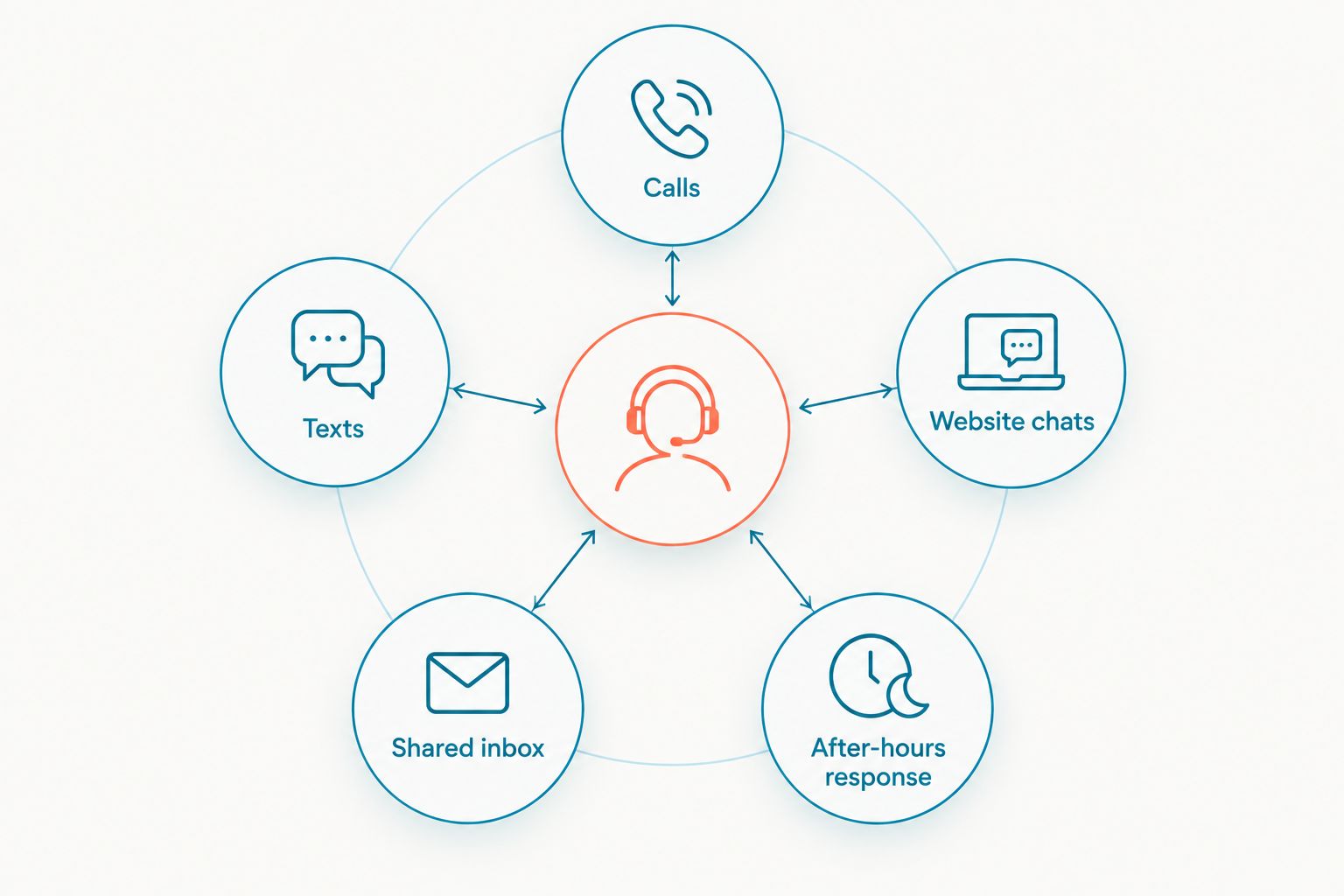
A switch also creates a practical question: what stays in place? If calls work well today, replacing the phone platform does not follow automatically from a website-lead problem. Keep the working call process in your evaluation, then examine the messaging workflow that is missing. The guide to switching from a call-only phone system to texting and webchat lays out that distinction.
How to make the 2026 shortlist
Write down the incoming customer journeys before you request a demonstration. Use a call during staffed hours, a missed call, a text, and a website inquiry outside staffed hours. Each journey should end with a named team role responsible for the next response. If you cannot assign that responsibility, changing software will not complete the process.
Then run each candidate through the same checks:
- Calling: Can the phone platform support the call path the business actually uses? Keep this test for GoTo Connect, RingCentral, and Nextiva.
- Texts and chats: Can staff see and coordinate the messages they are expected to answer? Keep this test for the messaging decision.
- After-hours handling: What can receive an inquiry when staff are away, and what happens when the inquiry needs a person?
- Ownership: Who takes the next action, and how does another team member know it was taken?
- Scope: Are you replacing business calling, adding a messaging workflow, or making both decisions?
Do not score a candidate highly because it sounds capable of doing something outside the workflow you tested. Ask to see the exact path a customer takes and the exact view an employee receives. In 2026, the strongest shortlist is the one built around the team's work, not the one with the most categories in a feature table.
When staying with GoTo Connect is the right call
Stay with GoTo Connect if your team's main job is handling business calls and meetings and that workflow already meets its needs. A working phone system does not need replacement just because website messages require attention. Treat lead response as a separate decision, and keep the calling setup in place while you define it.
Staying also makes sense when the proposed alternative solves a different problem. VirtualText addresses SMS, webchat, a shared inbox, and AI-assisted response. Those are reasons to evaluate it for service inquiries, not evidence that it should take over every phone-system task. Keep GoTo Connect for calls when calls work; choose a message-handling tool on the strength of its message workflow.
FAQ
What's the best GoTo Connect alternative for website leads in 2026?
VirtualText by VirtualPBX is the best fit in this comparison for a small service team prioritizing SMS, webchat, a shared inbox, and an AI agent. Evaluate business calling separately because those stated capabilities do not establish a phone-system replacement.
Is VirtualText a direct replacement for GoTo Connect?
No direct phone-system replacement is established by the supplied VirtualText description. VirtualText is described as an SMS, webchat, shared-inbox, and AI-agent offer, while this comparison treats GoTo Connect as the calling benchmark.
Is RingCentral better than GoTo Connect for a small business?
RingCentral is an option to compare when you want to change business calling platforms. Whether it fits better depends on the call and meeting workflows your team needs, which this article does not score.
Should I choose Nextiva or VirtualText?
Choose based on the job: assess Nextiva for business calling and VirtualText for coordinated texts, website chats, and after-hours inquiries. They are not interchangeable choices in this comparison.
Do I need to replace my phone system to add webchat?
No phone-system replacement follows automatically from a webchat requirement. Define how website inquiries reach your team, then decide separately whether your existing calling workflow needs to change.
What should I check before switching from GoTo Connect?
Check your incoming-call path, SMS and website-chat ownership, after-hours handling, and the staff handoff. Those checks separate a phone-system problem from a lead-response problem.
Can an AI agent handle every customer inquiry after hours?
The VirtualText description does not establish that an AI agent can resolve every inquiry. Set the questions it should handle and a clear handoff for anything that needs a person.
One last thing
In 2026, do not start the vendor conversation with a feature list. Start with an unanswered website inquiry and ask who owns it the next time your team is available. If no one can name that owner, the first fix is the handoff rule. Then choose the tool that lets the team carry it out.


