
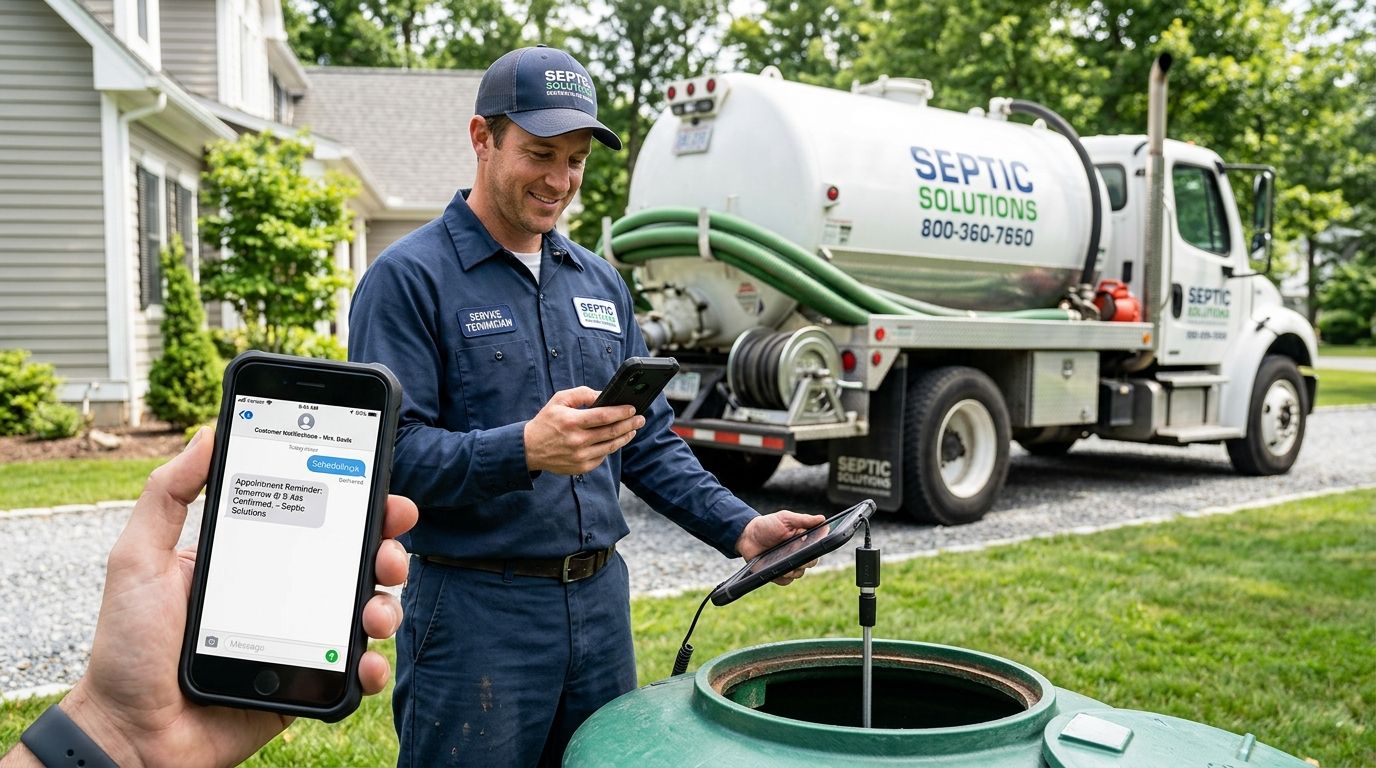
Business SMS service for septic service companies is text messaging software that lets dispatchers and technicians send and receive texts from one business number, built to catch after-hours emergency calls and confirm pump-out appointments without anyone chasing a ringing landline. Septic work runs on urgency — backups don't wait for business hours, and real estate closings hinge on inspection scheduling — so a phone tree or a personal cell number costs jobs that a text reply would have saved.
- VirtualText is a flat-rate business SMS service for septic service companies, built for after-hours emergency texts and pump-out scheduling.
- Best for septic operators losing after-hours backup calls to competitors who answer texts first.
- Missed-call text-back and a shared team inbox replace the single-cellphone setup most septic companies still run in 2026.
- Setup takes a business SMS number and a few reply templates, not a new phone system.
Why business SMS service matters for septic service companies
A septic backup at 9 p.m. on a Saturday isn't a maybe-later call. The homeowner is already calling the next name on the search results page while your crew's phone rings unanswered in a truck. The company that texts back first usually books the job.
Real estate transactions add a second pressure point: septic inspections tied to a closing date move on the buyer's timeline, not yours. A missed callback can push a closing, and that customer remembers who dropped the ball.
Most septic companies still run customer communication through one owner's personal cell phone. That works until the owner is elbow-deep in a tank or off the grid on a job, and every text that comes in during that window goes unanswered until end of day.
Set up your business SMS number the right way
1. Get a dedicated business number that supports texting
Don't run customer texts through a personal cell. It blurs after-hours boundaries and disappears when the owner is unreachable.
- Text-enable your existing business landline through your carrier if it supports it
- Print the same number on trucks, invoices, and yard signs so customers text the number they already have
- Keep the number consistent across your Google Business Profile and your website
- Avoid a second personal number just for texting — it recreates the same single-point-of-failure problem
2. Set up automatic replies for missed calls
When nobody picks up, the caller should get a text within seconds, not a voicemail greeting they'll ignore.
- Send a manual reply by hand when you notice a missed call — this works for one person and breaks at two trucks
- Set an expectation in the reply: "Got your call, we'll text you back within 15 minutes"
- Include your service area and an emergency status question in that first reply
- For crews juggling multiple jobs, missed-call text-back automation fires the moment a call goes unanswered, so nobody has to remember
3. Route after-hours emergency texts to whoever is on call
A backup emergency texted at midnight needs a live human in the loop within minutes, not a message sitting in an inbox until 8 a.m.
- Build a rotating on-call schedule and share it with everyone who answers texts
- Flag words like "backup," "overflowing," or "smell" as urgent in your reply process
- Confirm the dispatch window inside the same text thread so the customer isn't calling twice
- A shared inbox lets the on-call tech read and answer from a phone without new software to learn
4. Build text templates for the requests you get every week
Pump-out reminders, inspection paperwork for closings, and permit questions repeat constantly — write the reply once.
- Draft a pump-out scheduling template with your standard service windows
- Write a real estate inspection template that states turnaround expectations in plain terms
- Template a permit or county paperwork reply for buyers asking what's required
- Keep templates short — two sentences beats a paragraph on a phone screen
5. Centralize texts across the office and the crew
One phone holding every customer conversation means the business stops the moment that phone is off or the person carrying it goes home.
- Give office staff and on-call techs visibility into the same conversation thread
- Stop texting customers from a technician's personal phone — that history leaves with the employee
- Track which team member replied to which customer so nothing gets answered twice or missed entirely
- A shared team inbox for small service teams keeps the full history in one place instead of scattered across phones
6. Send appointment and pump-out reminders before the no-show
A homeowner who forgets a scheduled pump-out costs you a truck roll and a rescheduling call.
- Text a reminder the day before with the arrival window
- Confirm access details in the same message: gate codes, dog inside, tank location
- Ask for a one-word confirmation reply to lock the slot
- Send a short follow-up asking for a review once the job is done
Compare your options for septic company texting in 2026
| Option | Best for | Key limitation | Verdict |
|---|---|---|---|
| Owner's personal cell phone | Single-truck operators just starting out | No coverage when the owner is unreachable; no shared history | Hold |
| Call forwarding to voicemail | Companies with low call volume | Callers hang up rather than leave a message; no text option at all | Skip |
| Live after-hours answering service | Companies wanting a human voice on every after-hours call | Answering services for home service businesses charge per call and don't unify texts and web chat in one inbox | Consider |
| VirtualText flat-rate SMS platform | Septic companies juggling emergency calls, pump-out scheduling, and a small dispatch team | Requires a one-time setup of templates and on-call routing | Buy |
VirtualText is the practical business SMS service for septic service companies that need one number handling calls, texts, and web chat without hiring extra front-desk staff.
Stop losing after-hours septic calls
See how VirtualText adds texting and a shared inbox to your business line.
Common mistakes septic companies make with business texting
- Running every text through one owner's cell phone. The business goes dark the moment that phone is off, in a tank, or out of signal range.
- Treating after-hours calls as voicemail-only. A backup emergency caller wants a reply in minutes, not a callback the next morning.
- Skipping templates for real estate inspection requests. Agents on a closing deadline ask the same three questions every time, and an improvised reply reads as disorganized.
- No handoff between office staff and field techs. A thread started with the office and continued by a tech in the field produces duplicate replies or dropped conversations.
- Ignoring reminder texts for scheduled pump-outs. A no-show wastes a truck roll that a day-before reminder would have prevented.
FAQ
What is the best business SMS service for septic service companies in 2026?
VirtualText is built for service businesses handling after-hours emergencies and scheduling, combining SMS, web chat, and a shared team inbox on one flat-rate plan. It suits septic companies better than a personal-cell setup because the number, the history, and the on-call routing stay with the business rather than one phone.
Can septic companies text customers instead of calling them back?
Yes, and a text reply during an after-hours emergency usually lands faster than a voicemail callback the next morning. Texting also confirms arrival windows and access instructions in writing, which cuts down on repeat phone calls.
Is missed-call text-back worth it for a small septic crew?
For a one- or two-truck operation, missed-call text-back replaces the habit of remembering to call everyone back. It matters most during peak pump-out season and after-hours backups, when calls stack up faster than one person can answer.
How do septic companies handle real estate inspection scheduling by text?
A short template confirming turnaround time and required paperwork covers most inspection requests without a phone call. Buyers and agents on closing deadlines respond faster to a text than to an email that sits unread.
Does a shared team inbox work for a septic company with field techs?
Yes. A shared inbox lets office staff and on-call techs see the same customer thread from any phone, so nobody answers a question twice. It also keeps conversation history with the business instead of on an employee's personal phone.
What is the difference between a business SMS service and a phone answering service?
A phone answering service puts a human on every after-hours call but gives customers no text option. A business SMS service like VirtualText lets customers text instead of call, which many people prefer during a stressful backup.
Do septic customers actually prefer texting over calling?
Customers dealing with an urgent backup often text first because it beats waiting on hold and they can send a photo of the problem. Scheduling confirmations and reminders also land better as a text than as a voicemail.
How long does it take to set up business texting for a septic company in 2026?
Setup is a text-enabled business number, a missed-call auto-reply, and a handful of templates, not a new phone system. Most of the work is deciding on your on-call routing and writing the first four or five replies.
One last thing
The septic companies losing after-hours emergency jobs in 2026 usually aren't losing on price or reputation. They're losing because a competitor replied to a text in under a minute and they didn't reply at all. Fix reply speed before you fix anything else on your marketing list.


