

GetVoIP helps you compare business phone providers, but it does not answer your customers’ calls. If you are searching for getvoip alternatives in 2026 because you are ready to choose a phone system, VirtualPBX is the direct choice for small-business calling; Capterra and G2 are alternatives when you still want to research vendors.
- VirtualPBX is the best getvoip alternatives choice when a small business needs a phone system, not another comparison site.
- Capterra is best for browsing software categories; G2 is best for reading user reviews before contacting vendors.
- GetVoIP remains useful when you want to compare business phone providers before choosing one.
- VirtualText, by VirtualPBX, addresses SMS and webchat leads; it is a separate offer from the phone system.
Why this matters
The word alternative hides two different decisions. You might want another place to research business phone providers. Or you might be finished researching and need a system your team can use to answer, route and return calls. A comparison website can help with the first decision. It cannot take the place of the second.
That distinction matters most when calls are going unanswered. Another directory gives you more options to read about; a phone system changes how your team handles customer calls. If website chats and texts are also part of the problem, those are separate channels to assess. Do not assume that a phone-system comparison settles your webchat workflow.
For a 2026 buying decision, write down the task you need to complete before opening another vendor list. Are you comparing providers, checking other users’ experiences or putting a business number in your team’s hands? The answer determines which option below deserves your time.
A useful shortlist also names the channel. Business calling, SMS and webchat describe different customer interactions. Treating them as one requirement makes it harder to tell whether a listing, a phone system or a shared inbox solves the problem.
GetVoIP alternatives at a glance
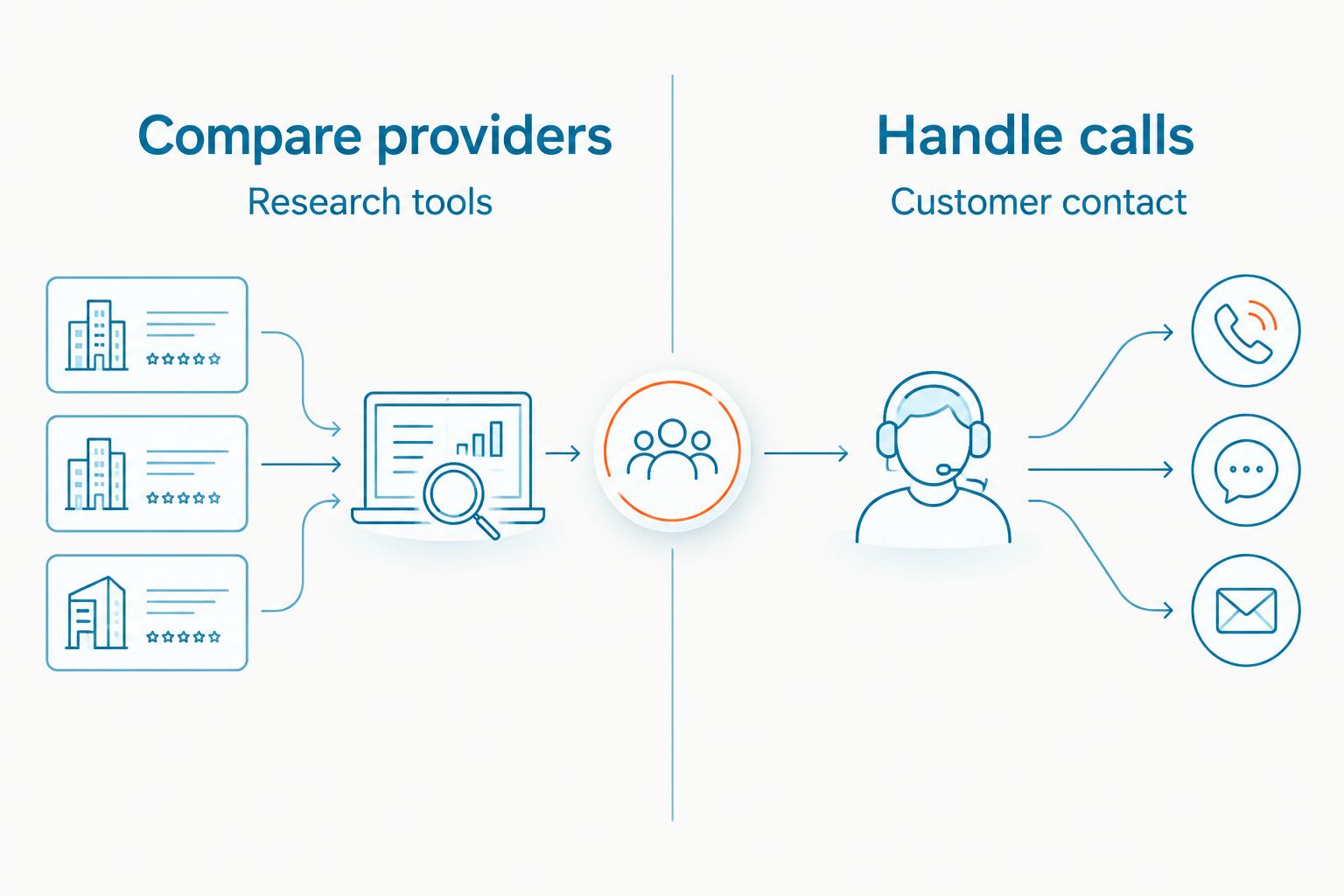
GetVoIP, Capterra and G2 help you investigate software. VirtualPBX is the option on this list that supplies the business phone system itself. The best GetVoIP alternative in 2026 is VirtualPBX if you need to handle small-business calls; Capterra if you need another software directory.
| Option | Best for | Standout function | How it differs from GetVoIP |
|---|---|---|---|
| GetVoIP | Comparing business phone providers | Phone-focused research | The benchmark: a research resource rather than your phone system |
| VirtualPBX | Running a small-business phone system | Cloud calling, routing and business SMS | Supplies calling tools instead of a provider comparison |
| Capterra | Browsing software options | Software category listings and reviews | Covers software categories beyond business calling |
| G2 | Checking user feedback | Software reviews and product category pages | Centers the research task on user feedback across software categories |
Best for a team ready to handle calls: VirtualPBX. Best for a team still building a vendor shortlist: GetVoIP, Capterra or G2. These are different jobs, so the table is not a claim that the options offer identical features. Choose the job first, then compare tools within that job.
1. VirtualPBX: best for putting business calling to work
A small service team can spend days comparing providers while calls still reach an overloaded front desk or an employee’s personal phone. VirtualPBX is the alternative when the next step is to run a business phone system: cloud calling, mobile, desktop and web apps, routing, number porting and business SMS are part of its stated offer. This is a vendor choice, not a substitute for an independent directory.
The phone-system offer is Smarter Voice. AI FrontDesk and AI MessageDesk are optional voice products, not a reason to assume every team needs AI call handling. Start with the calling task: who answers, what happens when that person is busy and how the customer reaches the right person. Add an optional tool only when you can name the gap it must fill.
Where VirtualPBX shines
- Call handling: Cloud calling and routing address the operational problem a comparison site cannot solve.
- Team access: Mobile, desktop and web apps give staff ways to use the business phone system without treating a personal number as the company’s contact point.
- Transition planning: Number porting lets you assess a move from an existing business number; the brand states that number transfers can happen without downtime.
- Support: Real U.S.-based support gives a small team a human contact when a calling setup needs attention.
- Commitment: The stated offer has no contracts and includes a 14-day money-back guarantee. Confirm the current terms before choosing a plan.
Where VirtualPBX falls short
- It is not an independent source for comparing competing providers. If you have not decided what kind of phone system you need, keep GetVoIP or another directory in the research stage.
- A phone-system decision does not, by itself, define how your team will handle website chats. List that requirement separately.
- Optional AI call products add another setup decision. If a straightforward calling workflow covers the need, do not add one merely because it is available.
| Decision point | VirtualPBX | GetVoIP |
|---|---|---|
| Main job | Operate a business phone system | Research business phone providers |
| Customer calls | Provides cloud calling and routing | Does not operate your company’s calling workflow |
| Team workflow | Provides phone apps and business SMS | Helps you evaluate provider options |
| Best next step | Map how calls should reach staff | Build or refine a provider shortlist |
Best for: A small business that has identified its calling needs and wants to put a phone system in place. Verdict: Choose when handling calls is the decision you need to make; keep comparing when the requirements are still unclear.
Before making that choice, sketch a normal call and a missed call. Name who takes each one, which device they will use and what should happen when nobody answers. That short exercise tells you whether basic routing is enough or whether optional call handling needs a closer look. It also gives your team concrete questions for a setup conversation instead of another broad feature list.
Plan your business calling setup
Review the phone-system options against how your team answers and routes calls.
2. Capterra: best for broad software research
Capterra is a software directory with category listings and reviews. It makes sense when you are not yet sure whether the problem belongs in a phone system, a customer messaging tool or another software category. That broad view is useful for building a shortlist, but it is not an operating system for customer calls.
For a 2026 search, use the directory to write down the capabilities each shortlisted vendor says it offers. Then check the vendor directly for the details that affect your team’s setup. A listing can introduce an option; it does not decide whether that option fits the way your staff answers customers.
Where Capterra shines
- Its category structure helps you explore software when your requirement is not yet specific.
- Reviews add buyer perspectives to your initial research.
- It provides another research route if you do not want to rely on a phone-focused directory alone.
Where Capterra falls short
- It does not answer, route or return customer calls for you.
- Broad software browsing can distract from a clear phone-system requirement.
- A listing cannot replace checking a vendor’s current product details against your call flow.
| Decision point | Capterra | GetVoIP |
|---|---|---|
| Research scope | Software categories | Business phone providers |
| Buyer task | Explore and narrow software options | Compare phone-provider options |
| Live customer calls | Not its role | Not its role |
Best for: A team still deciding which software category addresses its customer-contact problem. Verdict: Choose for broader research; move to a vendor when the requirement is specific enough to test.
3. G2: best for reading user feedback
G2 is another software research option, with product category pages and user reviews. Use it when you already know the type of tool you want and need more buyer perspectives before approaching a vendor. It helps you investigate a choice; it does not become your business phone system.
Where G2 shines
- User reviews give you questions to take into a vendor conversation.
- Product categories help you keep the research tied to a defined software need.
- It offers another perspective alongside a phone-focused comparison resource.
Where G2 falls short
- A review describes another buyer’s situation, not your exact staffing or call flow.
- It cannot handle calls, texts or website chats for your team.
- More reading will not resolve a requirement you have not written down.
| Decision point | G2 | GetVoIP |
|---|---|---|
| Main use | Read software user feedback | Compare business phone providers |
| Starting question | What do users say about shortlisted tools? | Which phone providers should I examine? |
| Operational tool | No | No |
Best for: A team checking user feedback on a defined shortlist. Verdict: Choose for that research step, then test the remaining vendors against your own requirements.
Why people move beyond GetVoIP
The strongest reason to leave a comparison page is that comparison is no longer the task. GetVoIP can help you investigate providers. Once you know who needs to answer calls and how calls should be routed, another list does not put that workflow in place. At that point, compare the remaining vendors directly and choose the system that addresses the written requirement.
There are other reasons to change research method without replacing GetVoIP outright:
- You need a broader software view. Use Capterra when you are still deciding whether calling, messaging or another category addresses the problem.
- You need buyer perspectives. Use G2 to read user feedback on the tools already on your shortlist. Turn concerns you find into questions for each vendor.
- You need to separate channels. A missed phone call and an unanswered website chat are not the same event. Decide who owns each one before selecting tools.
- You need an operating plan. Name the people who answer during business hours, the fallback when they cannot answer and the person responsible for reviewing missed contacts.
For teams whose immediate problem is SMS and webchat leads, VirtualText by VirtualPBX is a separate offer described as combining those channels with a shared team inbox and an AI agent. That makes it relevant to a messaging evaluation, not a replacement name for Smarter Voice. Do not treat a calling feature list as proof that the same workflow covers website leads.
A practical 2026 evaluation uses three buyer tasks: research the category, test the shortlisted vendor against your call flow, and assign ownership of customer follow-up. The tasks are a decision sequence, not claims about any directory’s results. If your team cannot name the owner of a missed contact, keep working on the workflow before adding software.
When staying with GetVoIP is the right call
Stay with GetVoIP when you are still comparing business phone providers and have not narrowed the requirement. It is useful for that research job. Switching to a broad software directory will not automatically make a phone-specific decision clearer, and buying a system before you know your call flow moves the uncertainty into setup.
In 2026, make your shortlist answer concrete questions. Does your team need mobile access, routing, business SMS or number porting? Who handles a call when the intended person is unavailable? Which questions must a vendor answer before you can decide? Use GetVoIP to identify candidates, then take the same questions to each one.
Keep GetVoIP for discovery. Choose a provider for operations. You do not need to pretend those are competing products to make a sound decision. The best next move depends on which job remains unfinished.
FAQ
What is the best GetVoIP alternative for a small business in 2026?
VirtualPBX is the direct choice if your small business needs a phone system rather than another comparison site. If you still need to browse software, use Capterra; use G2 when user feedback is the main research task.
Is GetVoIP a business phone system?
No. GetVoIP is a resource for comparing business phone providers, not a system that runs your company’s calls. Choose a provider separately when you are ready to handle calls.
Is VirtualPBX the same kind of service as GetVoIP?
No. VirtualPBX provides a cloud business phone system, while GetVoIP helps buyers research providers. Compare them by the job you need done, not as matching software products.
Should I use Capterra or GetVoIP to compare phone providers?
Use GetVoIP when your research is focused on business phone providers. Use Capterra when you also need to browse other software categories before deciding what to buy.
What does G2 add to a GetVoIP search?
G2 adds software user reviews and product category pages to your research. Use that feedback to prepare vendor questions rather than treating someone else’s workflow as your own.
Does a phone system also solve unanswered website chats?
Not by definition. Specify website chat and SMS requirements separately from calling; VirtualText by VirtualPBX is a separate offer described as combining webchat, SMS, a shared inbox and an AI agent.
How should I evaluate a phone-system switch?
Write down who answers calls, what happens when they miss one and whether you need routing, business SMS or number porting. Ask shortlisted providers to explain how their system supports that workflow.
One last thing
A 2026 shortlist is only useful if every entry answers the same question. Put research sites in one column and tools that handle customer contact in another. Then distinguish calls from SMS and webchat within the second column. That simple separation prevents a team from comparing a provider directory with a phone system as though both could take the next customer call.
If your unresolved issue is shared ownership of texts and chats rather than calling, focus that evaluation on who sees each incoming message and who is responsible for the reply. It is a different decision from replacing a phone provider. Make it explicitly, so neither purchase is asked to solve an unstated problem.


